
Amazon didn’t build its affiliate empire by chance. Its success comes from a simple yet powerful affiliate system: fair commissions, product level tracking, transparent reporting and smooth payouts.
If you’re running a WooCommerce store, the good news is you don’t need an Amazon level budget to replicate its affiliate model. You can create an Amazon-style affiliate program using WooCommerce + AffiliatePress that gives product wise commissions, tracks sales in real time, and motivates long term promotion.
Let’s explore the exact steps to create an Amazon-inspired affiliate program for WooCommerce store, without any complexity.
What Makes an Affiliate Program for WooCommerce Effective Like Amazon?
An Amazon affiliate program is commonly known for its high volume, low margin and wide range of products. Affiliates join the Amazon affiliate program because consumers trust it, making it easy to sell products.
Plus, it gives affiliates incentives to promote specific products instead of a one-size-fits-all commission model. Meanwhile, it also ensures accurate tracking, timely payouts and has strict yet clear guidelines.
Here are the things that you have to consider to make an Amazon-style affiliate program:
1. Product Level Commission Structure
Amazon pays affiliates differently for different product categories. And it’s actually a smart strategy for businesses that sell different products on their eCommerce store, each with different margins.
This way, you can control margins while promoting priority items. This strategy in the affiliate program lets you:
- Set different commission rates per product or category.
- Offer more commissions on high-margin or new products.
- Adjust commissions for each product without affecting the program as a whole.
In the end, it helps your affiliates focus on products that convert better and pay more, just as Amazon keeps its affiliates engaged.
2. Accurate and Transparent Tracking
Do you know affiliates trust Amazon because every click, sale and commission is tracked with full accuracy? Thus, your affiliate system must have:
- Real-time tracking for referrals, sales and earnings.
- Detailed reports.
- And clear attribution of sales to the correct affiliate.
When affiliates can see what’s working, they promote more confidently.
3. Performance Based Probation
Amazon doesn’t just reward participation; it rewards performance.
We’ve seen Amazon affiliates getting a specific period of time (e.g. 180 days) to make at least a number of sales (e.g. 3 sales) for staying in the affiliate program and continuing promoting, which is actually effective as it leaves no room
for inactive affiliates.
4. Easy Promotion for Affiliates
Amazon makes promotions effortless by providing affiliates with everything they need. So in your WooCommerce affiliate program, you should also offer:
- Simple affiliate links.
- Product-specific referral URLs.
- Promotional assets that reduce setup effort.
The easier it is to promote, the faster affiliates start generating sales.
5. Automation at Scale
One of Amazon’s biggest strengths is automation. Affiliates can join, promote and get paid without manual intervention. So your affiliate program managing system should:
- Automate commission calculation.
- Handle approvals and payouts smoothly.
- Grows easily as your affiliate base grows.
This lets you focus on growing your online store while the affiliate system runs in the background smoothly without any manual interference.
Things To Consider Before You Start an Affiliate Program for WooCommerce
Now, before you create an Amazon-style affiliate program in WooCommerce, it’s smart to make sure you have the right base.
Amazon’s success comes from structure and preparation and your affiliate marketing program should follow the same approach. Thus, here’s what you need to set up before getting started:
- Ready to go WooCommerce store with a wide range of products.
- A reliable affiliate management plugin for WooCommerce, like AffiliatePress.
- Conversion-ready & affiliate-friendly product pages.
- Secure payment gateways for smooth checkout.
Once these requirements are fulfilled, you’re ready to move on to the actual setup of your WooCommerce affiliate program.
How to Create an Amazon-Style Affiliate Program for WooCommerce?
First of all, for creating an Amazon-style affiliate marketing program, you need a business oriented solution that can manage product-wise commissions, real time commission tracking and automatic payouts.
So, here we use AffiliatePress as it EXACTLY has these features.
AffiliatePress is one of the best WordPress affiliate plugins, with deep WooCommerce integration and impressive affiliate management features, making it easy to create a flexible affiliate program.
Thus, here’s an action plan to create your own Amazon style WooCommerce affiliate program with AffiliatePress:
Step 1: Install and Configure AffiliatePress for WooCommerce
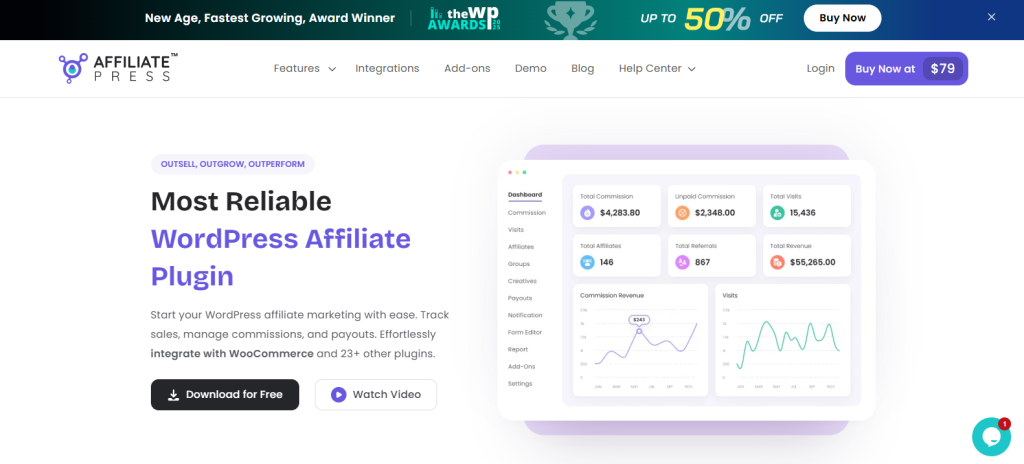
First things first, let’s begin by installing the AffiliatePress plugin on your WooCommerce-powered website.
Installing AffiliatePress:
- Go to its official website and get AffiliatePress (you can also try its free version and upgrade to premium anytime).
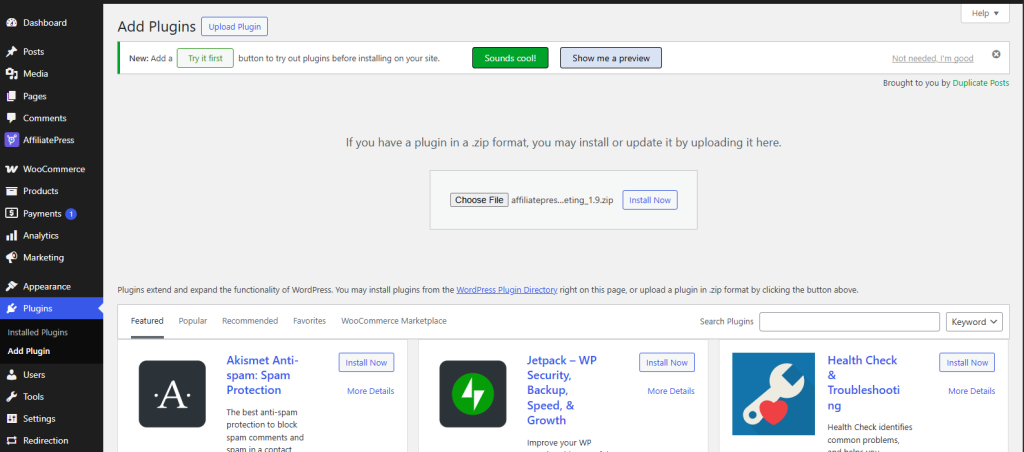
- Then go to WordPress Dashboard > Plugins > Add Plugin Upload Plugin.
- Upload the zip file of your AffiliatePress > Install plugin > Activate.
Once installed and activated, AffiliatePress redirects you to the smart setup wizard to guide you through the process. With this, you can set up your affiliate program in just a few minutes.
Configure Basic Affiliate Settings:
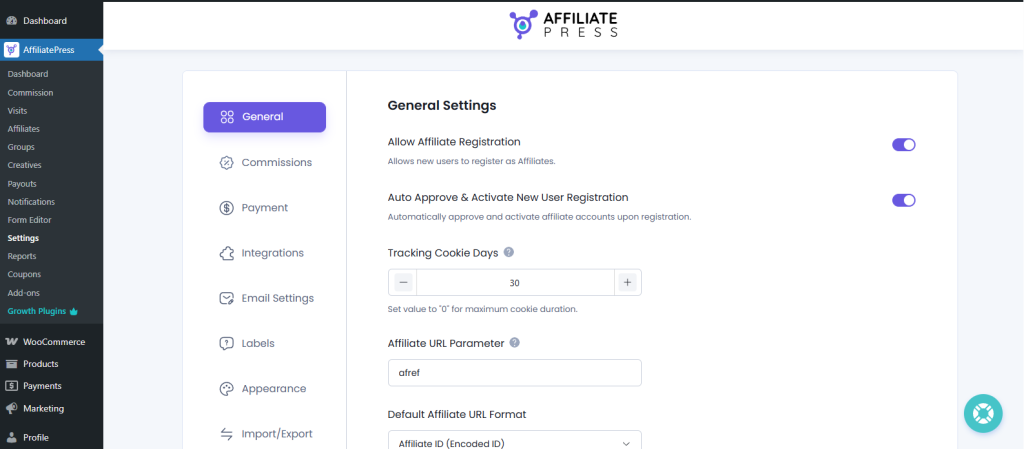
After activation, go to the AffiliatePress settings panel to define your core affiliate rules. Here, you can easily:
- Set a default global commission rate.
- Choose your commission type (percentage or fixed).
- Set cookie duration for tracking referrals.
- Decide automatic affiliate approval (optional).
Enable WooCommerce Order Tracking:
Accurate tracking is a must-have for any affiliate program. AffiliatePress connects directly with WooCommerce orders to:
- Track completed purchases automatically.
- Assign commissions only to approved or completed orders.
- Prevent duplicate or invalid commission entries.
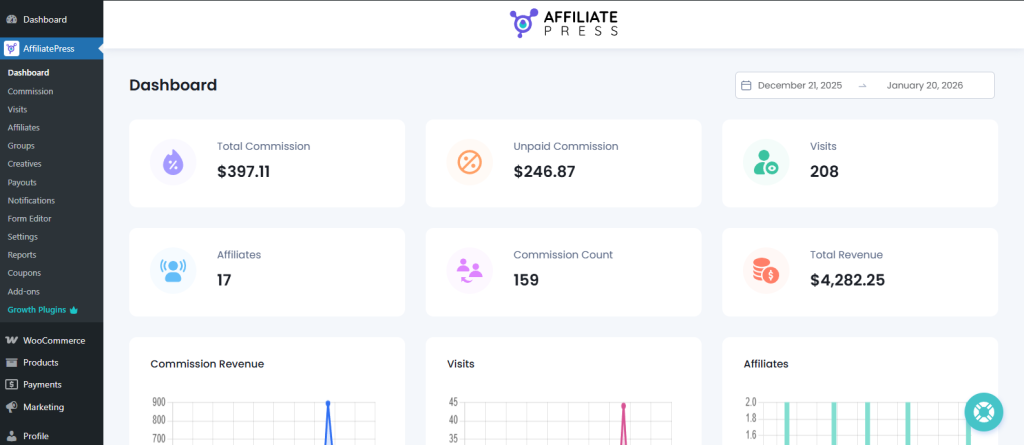
You can view a complete overview of your sales, conversions and revenue from the AffiliatePress main dashboard (Dashboard menu). This makes sure you can track your sales and affiliates’ commissions in real time.
Note: You’ll only see data here after running your affiliate program for a time.
Create the Affiliate Signup Page:
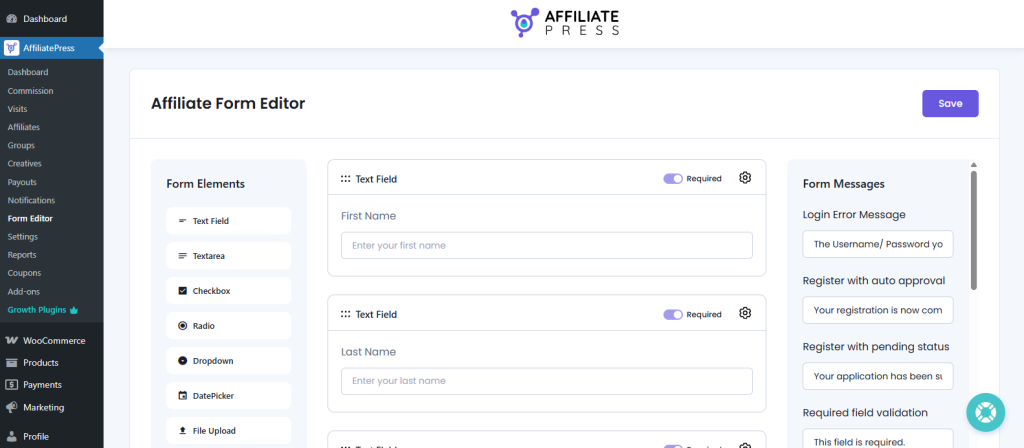
Amazon removes friction by making affiliate sign-up simple, and so should you. With AffiliatePress, you can:
- Generate a personalized affiliate registration form.
- Customize your affiliate signup form to collect relevant information.
- Allow affiliates to sign up and be automatically approved.
- Give affiliates access to their own dashboard right away.
Step 2: Create Commission Rules Like Amazon
One of the defining features of Amazon’s affiliate program is its commission structure. Although many of you might hear that Amazon has one of the lowest commission rates, it is still one of the most popular affiliate programs.
Ever wondered why? Because affiliates have a wide range of products to promote, all having different commission rates. Plus, the commission system rewards effort and strategic promotion. You can replicate this in WooCommerce using AffiliatePress.
Now that your AffiliatePress plugin is installed and configured, it’s time to set up the core of an Amazon-style program – commission structures:
Set a Global Commission Rate:
You can simply start with a base commission that applies to all products. This serves as your default rate for new affiliates and products without a custom rate.
For example:
- 10% on all products by default.
- Fixed-rate options, like $5 per sale, are also available.
Add Product-Level Commissions:
Amazon doesn’t pay the same for every product. Certain categories or items always earn higher commissions. You can do the same using AffiliatePress’s Product-wise Commission addon.
With this, you can:
- Assign higher rates for high-margin or priority products.
- Offer special commissions on new launches.
- Mix percentage-based and fixed commissions depending on the product.
Create Tiered Based Commissions:
Amazon rewards affiliates who sell more and you can replicate this with tiered commission rules in AffiliatePress. For example, you can offer…
- 10% commission for the first 10 sales.
- 15% after 25 sales.
- 20% after $500 in total referrals.
This motivates affiliates to achieve higher sales, just as Amazon does.
Consider Other Popular Commissions (Optional):
Apart from this, AffiliatePress allows you to create and assign multiple smart commission structures, such as:
- Group Wise Commissions.
- Recurring Commissions.
- Lifetime Commissions.
- Tiered Based Commissions.
- Multi-level Affiliate Commissions.
- and a LOT more!
Step 3: Optimize Product Pages for Affiliate Conversions
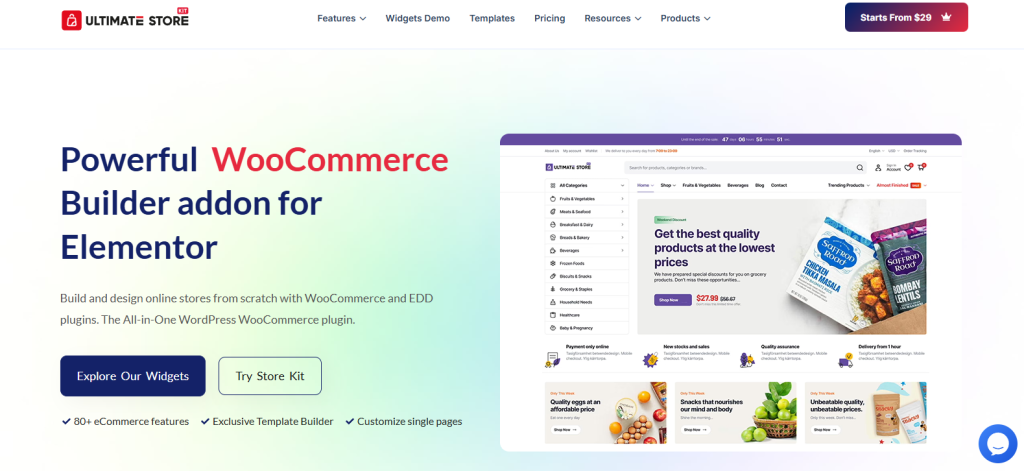
Even the best affiliate marketing program won’t succeed if your product pages don’t convert. Amazon affiliate programs convert the BEST because every product page is designed to sell and your WooCommerce store should do the same.
With Ultimate Store Kit, you can create high-converting WooCommerce pages that make it easy for affiliates to promote and for customers to buy.
Plus, affiliates feel motivated when their referrals are likely to convert. Thus, you must optimize every product page with:
- Clear CTAs: “Add to Cart” or “Buy Now” to drive more clicks.
- Trust Signals: Add product reviews, ratings, guarantees and confirmation messages.
- Comparison Tables: Compare your product’s advantages with your competitors to show a clear difference. Also, it’s a much better affiliate promotion.
- Product Layouts: Use StoreKit’s Single PagePro to highlight features, specs and benefits clearly.
When affiliates see higher conversion rates, they naturally promote more. It indirectly boosts both your sales and their earnings.
Also, Ultimate Store Kit makes it super easy to optimize your pages with ready to go widgets, templates and layouts. It comes with:
- WooCommerce Templates: Create high-converting shop, product, cart, checkout and account pages.
- Creative Widgets: Add carousels, accordions, grids, tables, sliders and brand showcases to make online stores more engaging.
- Customizable Layouts: Personalize colors, typography, animations and transitions to match your online store’s style, branding and vibe.
- Checkout & Account Enhancements: Give your customers a smooth checkout experience and let them easily manage their orders.
By combining your WooCommerce store with Ultimate Store Kit features, you can make it affiliate-ready and boost your conversion rates.
Step 4: Track Affiliate Sales and Performance Accurately
Affiliates trust Amazon because every click, sale and commission is recorded accurately and you can offer the same level of reliability as well by using AffiliatePress.
AffiliatePress allows you to track commissions, visits and referrals in real time with detailed insights on each matter that might feel like holding your affiliate program.
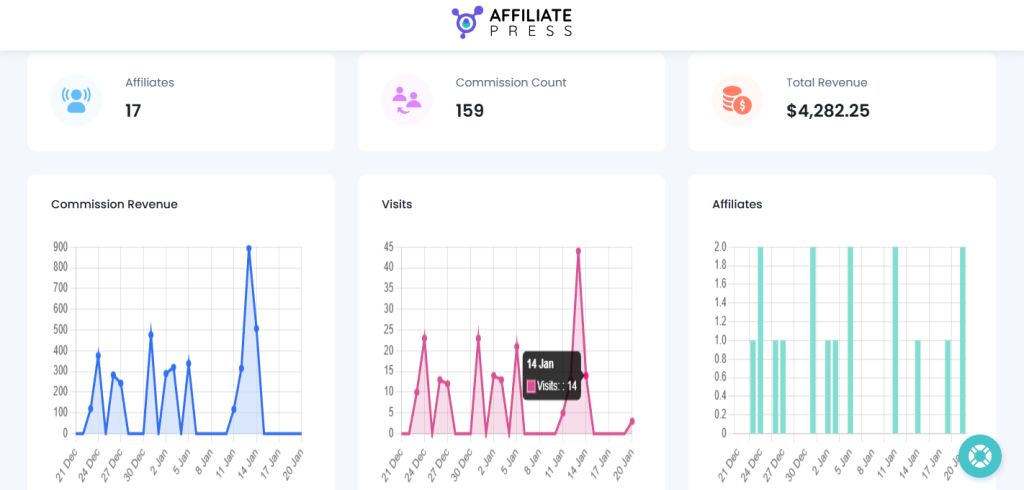
Its main dashboard gives you a quick overview of your complete all-over affiliate program. In here, you can clearly see:
- Total Commissions
- Unpaid Commissions
- Visits
- Affiliates
- Commission Count
- Total Revenue
Best of all, you can also analyse your affiliate program’s revenue, visits and affiliates with real-time charts too. And by chance, if something feels off, you can check the details report under AffiliatePress > Reports.
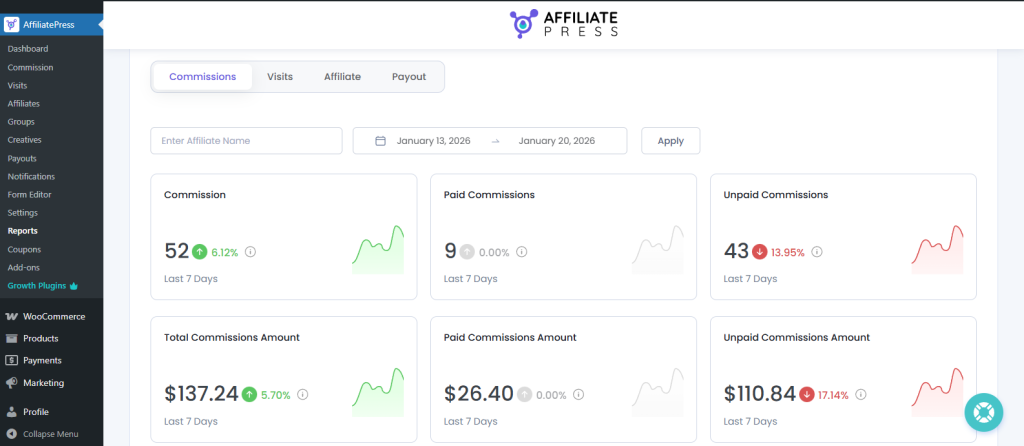
From here, you can get a detailed report for:
- Commissions
- Visits
- Affiliate
- Payout
Step 5: Automate Affiliate Payouts and Communication
Last but not least, one of the biggest reasons affiliates love Amazon’s program is reliability. Payments are always on time, communication is clear and everything runs automatically.
That’s why, to make an Amazon-style affiliate program in WooCommerce, automation is a must. With AffiliatePress, it’s not a matter of time till you can automate everything from smooth onboarding, tracking commissions, to payouts.
AffiliatePress can automate both affiliate payouts and communication, so your program grows with no extra burden of manual work. You can:
- Pay affiliates in one click or schedule automatic affiliate payouts based on approved commissions.
- Choose payment gateways such as PayPal or Stripe.
- Set payout thresholds to avoid processing micro payments.
- Approve commissions automatically or manually before payout.
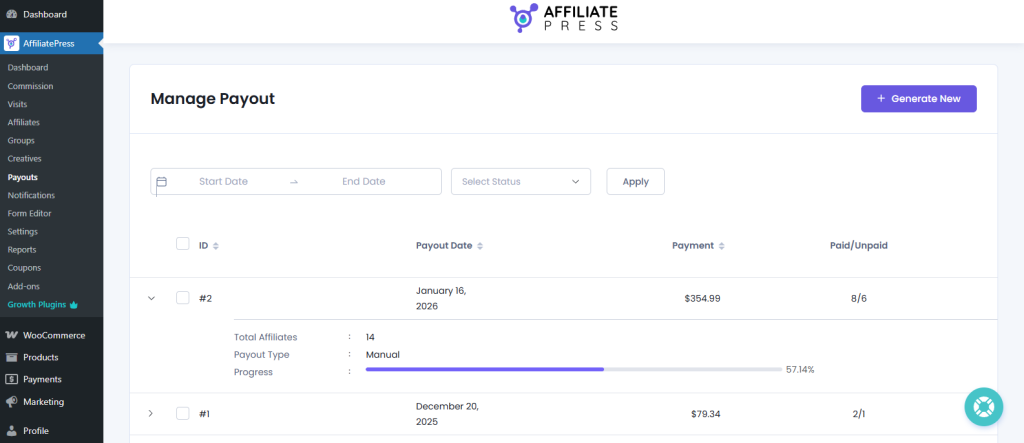
Timely and predictable payouts build trust. When affiliates know they’ll get paid without delays, they stay active and loyal.
Now, as we all know, Amazon keeps its affiliates always updated at every stage and you can too. AffiliatePress lets you send automatic custom email notifications.
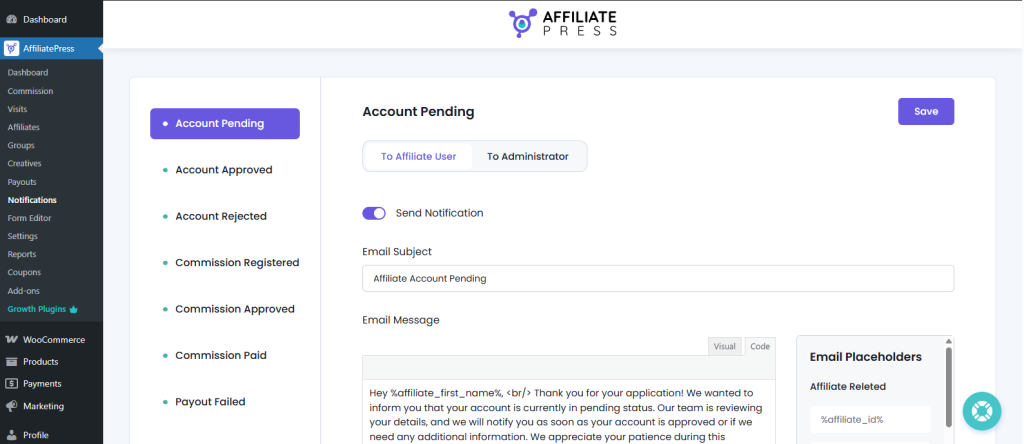
With this, you can send automatic email notifications for new commissions. Also, it lets you notify affiliates when commissions are approved and paid, as well as customize email messages with place holders for the affiliate’s name, commission and many more.
Now that everything is ready to go, your Amazon style affiliate program in WooCommerce is finally set to go live!
Conclusion
In this blog, we’ve discussed how to create an Amazon-style affiliate program in WooCommerce using AffiliatePress and Ultimate Store Kit. As you can see, you don’t need Amazon-level resources to create an effective affiliate system.
By combining AffiliatePress for affiliate management with Ultimate Store Kit for high-converting store design, you create a system where:
- Affiliates are motivated due to a clear commission structure.
- Product pages convert better and are easier to promote.
- Sales and commissions are tracked accurately in real time.
- Payouts and communication run automatically.