
Running an online store isn’t just about getting orders, it’s about everything that happens after. Processing orders, generating invoices, handling refunds and pulling reports are all part of a store owner’s daily routine. When these tasks rely on different tools or manual steps, things can quickly become chaotic. Missed invoices, incorrect refunds, or outdated reports can waste time, cost money and damage customer trust.
This is why unified order management is essential for WooCommerce stores. Scattered workflows, where orders, invoices, refunds and reports are handled separately, lead to errors and slow down operations, making scaling more difficult. The good news is that WooCommerce, paired with the right plugins, can bring all these processes into a single, connected workflow. With tools for order import/export, automated invoicing, refund tracking and reporting, store owners can manage everything efficiently from one dashboard.
Overview of Key Tools
Running a successful WooCommerce store goes far beyond handling products, orders, and payments. Your storefront represents your brand and sets the tone for the entire customer journey, making it essential to present a professional and intuitive interface. Clear layouts, consistent styling, and smooth navigation help visitors quickly find what they need, reduce friction during shopping, and create a positive first impression that keeps users engaged with your store.
Using a reliable WooCommerce builder add-on makes it easier to control both design and functionality without relying heavily on custom development. These tools allow you to customize key store elements, ensure visual consistency across pages, and adapt layouts as your business grows. By simplifying customization and centralizing management, they help you maintain a well-structured, scalable storefront while saving time and effort.
Let’s take a closer look at the plugins that make this unified management approach not just possible, but simple and efficient.
Order Import Export Plugin for WooCommerce
Managing orders one-by-one can be a real headache, especially if you’re handling high sales volumes, migrating data from one platform to another or synchronizing data with external systems like accounting or fulfillment services.
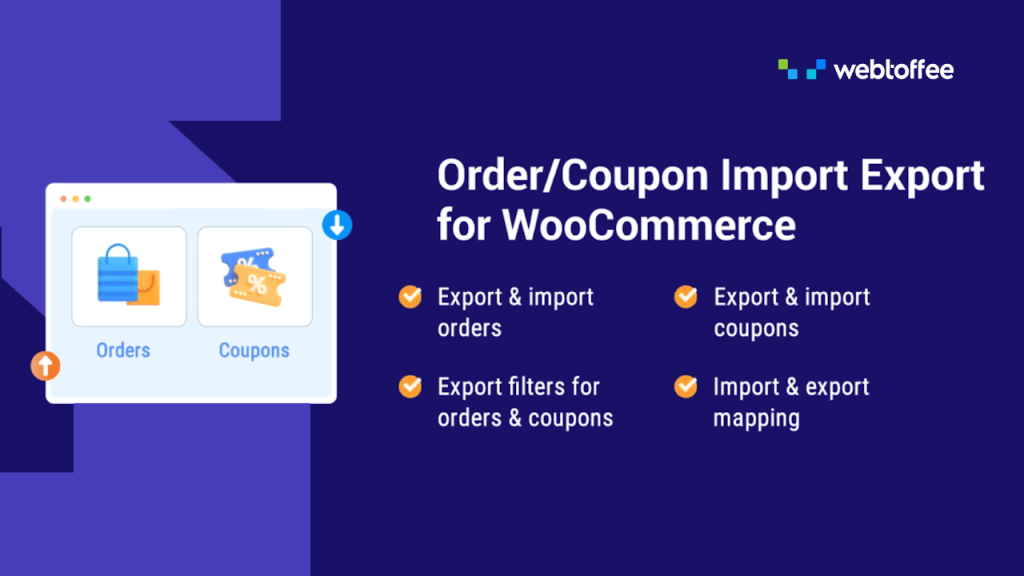
That’s where the Order Import Export Plugin for WooCommerce shines. This plugin lets you import and export orders in bulk, using CSV or XML files. That means you can:
- Take orders from external channels and bring them into WooCommerce with a click.
- Export your store’s orders to send to your accounting software, fulfillment partner or reporting tool.
- Schedule automated exports so you don’t have to do it manually every day.
- Handle large volumes without breaking a sweat.
Instead of doing repetitive tasks manually, you’re freed up to focus on strategy and growth. Whether you’re onboarding a new sales channel or preparing data for analysis, this tool brings order to your order data.
WooCommerce PDF Invoices & Packing Slips
Invoices and packing slips are essential not just for customer clarity, but also for bookkeeping, compliance and logistics. But creating them manually for every single order? No one has time for that.
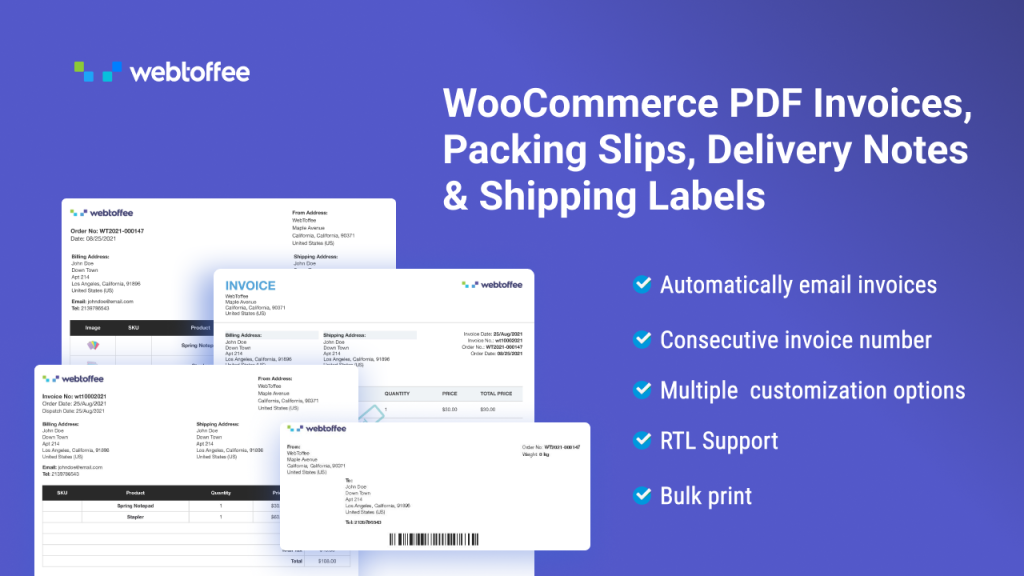
The WooCommerce PDF Invoices & Packing Slips plugin takes this task off your plate by automating the entire document generation process.
With this plugin, you can:
- Automatically generate a professional PDF invoice for each new order.
- Customize invoice templates with your logo, company details and branding.
- Attach invoices directly to customer emails.
- Generate packing slips to support your fulfillment workflows.
- Bulk-generate documents when needed.
- Issue credit notes and attach them to refund emails.
This means every processed order comes with its paperwork already prepared, saving time, reducing errors, and helping you maintain a polished customer experience.
Managing Orders Efficiently
As your WooCommerce store grows, order management quickly becomes more complex. What starts as a simple “process and ship” task can turn into a daily operational challenge, especially when you’re dealing with high order volumes, multiple sales channels or external systems.
Challenges with WooCommerce Order Management
WooCommerce does a great job of handling day-to-day orders but store owners often run into limitations as their operations scale.
- Manual processing overhead: Updating orders individually, exporting data manually, and copying details into spreadsheets consume valuable time and increase the risk of human error.
- Difficulty managing large order volumes: Bulk status updates, metadata changes and data preparation become inefficient when handling hundreds or thousands of orders through the WooCommerce admin.
- Challenges sharing order data externally: Syncing orders with accounting systems, fulfillment services, or reporting tools requires clean, structured exports, without which teams rely on manual workarounds that disrupt the workflow.
How the Order Import Export Plugin Helps
This is where the Order Import Export Plugin for WooCommerce fits naturally into the workflow.
Instead of managing orders one at a time, the plugin allows store owners to import and export orders in bulk, making large-scale operations much more manageable. Orders can be exported in CSV or XML formats, which are widely supported by accounting platforms, fulfillment services and reporting tools.
One of the biggest advantages is automation. With scheduled exports, order data can be transferred automatically at set intervals, eliminating the need for manual downloads. This keeps external systems up to date and ensures consistency across platforms.
The plugin is especially useful in real-world scenarios such as:
- Store migrations, where historical orders need to be moved to a new WooCommerce setup.
- Marketplace integrations, where orders from third-party channels are imported into WooCommerce for centralized processing.
- Operational reporting, where order data is exported regularly for analysis and reconciliation.
By simplifying how orders are imported, exported and managed at scale, the plugin helps transform WooCommerce order management into a smoother, more unified workflow.
Automating PDF Invoices, Packing Slips, Credit Notes & More
Invoices and packing slips play a crucial role in the post-purchase experience. They’re not just documents attached to an order; they help build trust, ensure compliance and keep fulfillment operations running smoothly.
Why Invoices & Packing Slips Matter
- Customer trust and professionalism: Well-structured invoices reassure customers that their order has been processed correctly. Clear pricing, tax details and store information contribute to a professional brand image and reduce post-purchase queries.
- Tax compliance and record-keeping: Invoices are essential for accurate tax reporting and financial audits. Having consistent, properly formatted invoices helps store owners stay compliant with regional tax regulations and makes it easier to retrieve records when needed.
- Warehouse and fulfillment accuracy: Packing slips guide fulfillment teams by clearly listing order contents, quantities and shipping details. Accurate packing slips reduce picking errors, speed up order fulfillment and help ensure customers receive exactly what they ordered.
Capabilities of the PDF Invoices & Packing Slips Plugin
To support these needs without adding extra manual work, the WooCommerce PDF Invoices & Packing Slips plugin automates the entire document workflow.
- Automatic PDF invoice generation: Invoices are generated automatically for new orders based on defined order statuses. This ensures that every order is documented without requiring manual action.
- Customizable invoice and packing slip templates: Store owners can customize templates to include branding elements such as logos, business details, tax information and custom fields.
- Bulk PDF generation: For stores handling large volumes or processing past orders, invoices and packing slips can be generated in bulk, saving significant time compared to creating documents individually.
- Order status-based syncing: Documents can be linked to specific order statuses, ensuring invoices and packing slips are created at the right point in the order lifecycle, whether during processing, completion or fulfillment.
- Easy downloads and email attachments: Invoices and packing slips can be downloaded directly from the WooCommerce dashboard and automatically attached to customer emails, improving communication and reducing follow-up requests.
- Credit note generation for refunds: The plugin also supports creating credit notes for refunded orders, helping store owners maintain accurate financial records. Credit notes can be generated automatically when a refund is issued or created manually when adjustments are required.
Handling Refunds without Chaos
Refunds are an unavoidable part of running an online store. Whether it’s a return, cancellation or pricing adjustment, how refunds are handled can either keep your operations organized or quickly introduce confusion if processes aren’t aligned.
The Standard WooCommerce Refund Experience
WooCommerce provides built-in tools to issue full or partial refunds directly from the order screen. Store owners can update order statuses, adjust totals and keep refund records tied to the original order. For most stores, this forms a solid foundation for managing refunds.
However, problems often arise when refund-related data isn’t properly reflected across invoices, reports and external systems.
Why a Unified Workflow Matters
Keeping refunds within the same order management workflow reduces errors and inconsistencies. When order data, invoices and exports stay connected:
- Refunds are easier to track and verify
- Financial records stay aligned
- Customer communication remains clear
Using Export Logs to Reconcile Refunds
Order export logs play an important role in refund reconciliation. Exporting updated order data, including refunded and partially refunded orders helps:
- Match WooCommerce records with accounting data
- Identify discrepancies quickly
- Maintain a clear refund history
Having access to historical exports makes it easier to trace changes over time, especially during audits or financial reviews.
Real-Time Insights & Reporting
Having access to accurate, up-to-date data is essential for making informed business decisions. While WooCommerce provides built-in reports, many store owners need deeper insights that go beyond on-screen dashboards. This is where exporting order data becomes especially powerful.
Why Exporting Order Data is Crucial for Reporting
Exported order data gives store owners full visibility into what’s happening across their store. Instead of relying on static reports, exports allow you to work with raw, structured data that can be filtered, sorted and analyzed in ways that suit your business needs. This flexibility is key for tracking performance, identifying trends and validating financial records.
Using Exported Data Across Different Tools
Exported order data in CSV or XML format can be easily reused across multiple platforms:
- Spreadsheets: Ideal for quick analysis, sales summaries, refund tracking and custom calculations. Spreadsheets allow teams to slice data by date, product, region or order status.
- Business Intelligence (BI) tools: For stores that rely on deeper analytics, exported data can be fed into BI tools to create dashboards, visualize trends and monitor performance over time.
- Accounting software: Clean order exports help accounting teams reconcile revenue, track taxes and match refunds without relying on manual data entry.
Combining Order Data and Invoice Logs
For accurate revenue reporting, order data alone isn’t always enough. Combining exported order data with invoice records provides a more complete picture:
- Confirms which orders have been invoiced
- Aligns revenue with issued documents
- Helps track adjustments and refunds accurately
This combined approach reduces discrepancies and improves financial clarity.
Step-by-Step Unified Workflow Example
Here’s what a simple, end-to-end workflow can look like when you’re managing orders, invoices, refunds and reporting in one connected flow.
1. Import bulk orders from a channel or marketplace
If you sell through marketplaces, POS systems or other sales channels, you may need to bring those orders into WooCommerce in bulk.
- Import orders using a structured file (like CSV or XML)
- Map fields so order details (customer info, products, totals, taxes, etc.) land correctly in WooCommerce
2. Process orders in WooCommerce
Once orders are in WooCommerce, your regular workflow continues as usual:
- Verify payment and customer details
- Update order statuses (Processing > Completed)
- Add shipment details, notes or internal metadata if needed
3. Automatically generate invoices and packing slips
As orders move forward, documents shouldn’t become a separate manual task.
With automated invoicing:
- PDF invoices can be generated automatically based on order status
- Packing slips can be created for fulfillment teams
- Documents can be downloaded from the order screen or attached to customer emails
4. Export order and invoice data for reporting
To build reports or share data with accounting and operations teams, you can export what you need at regular intervals:
- Export order data for sales, tax and performance analysis
- Use CSV/XML exports in spreadsheets, BI tools or accounting software
- Keep exports consistent so reporting stays reliable month after month
5. Issue refunds and update records
Refunds happen and the key is to handle them without breaking the workflow:
- Issue refunds directly from WooCommerce (full or partial)
- Update order status and notes so records are clear
- Regenerate invoice documents or issue credit notes when required
- Export updated order data to keep reports and reconciliations accurate
Conclusion
Managing orders, invoices, refunds and reports doesn’t have to feel like a collection of disconnected tasks. When everything follows a unified workflow, day-to-day operations become faster, clearer and far less error-prone.
By combining WooCommerce’s core features with the Order Import Export Plugin and WooCommerce PDF Invoices & Packing Slips, store owners can simplify how data moves through their business. Orders are handled in bulk when needed, invoices and packing documents are generated automatically and clean order data is always available for refunds, reporting and reconciliation.
Together, these two plugins complement each other without adding complexity. One ensures order data stays flexible and portable, while the other keeps documentation accurate and consistent. The result is a streamlined WooCommerce workflow that saves time, reduces manual effort and supports growth, without overwhelming teams with unnecessary tools.