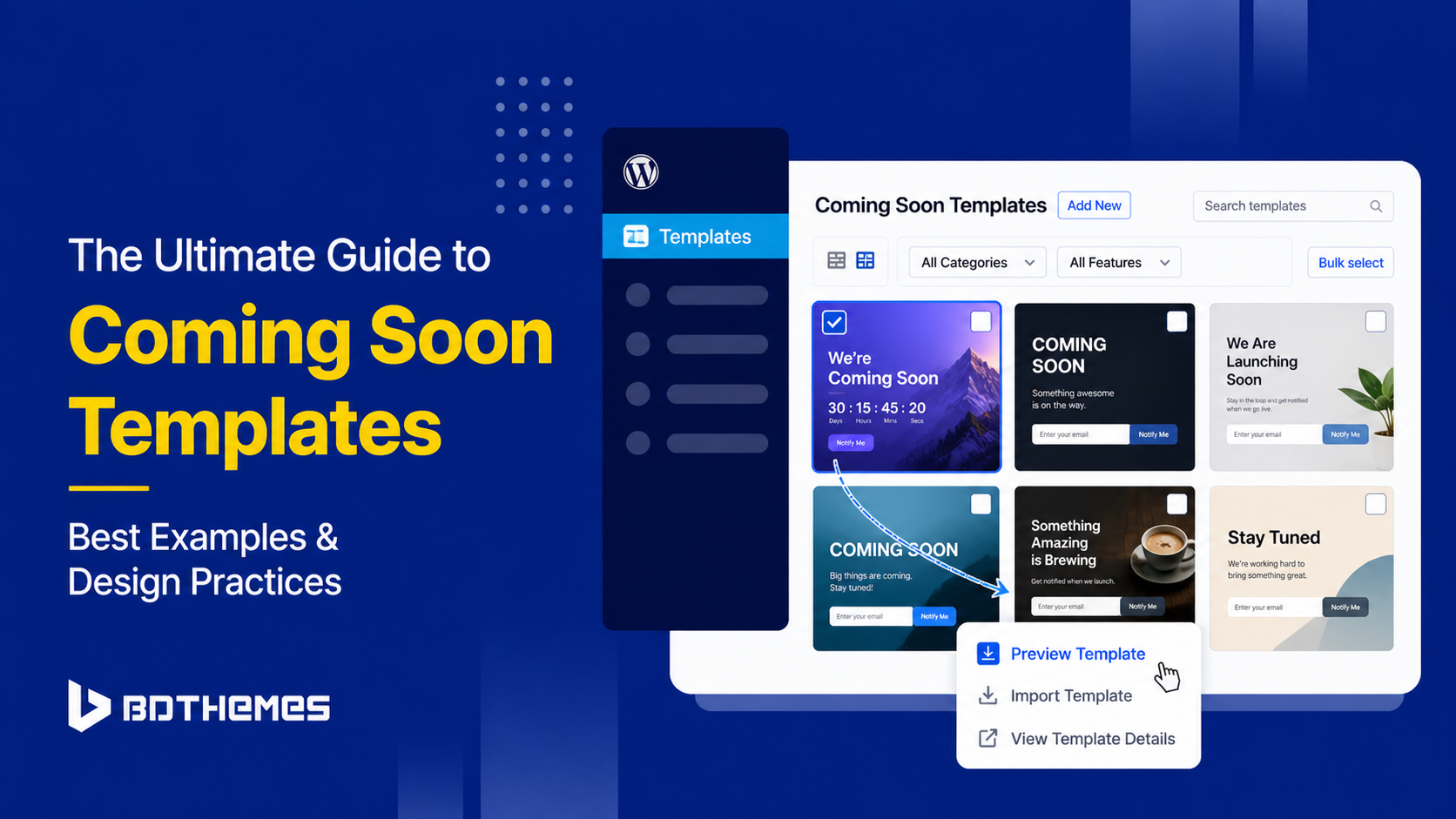
Your website is not ready yet, but the world does not have to wait in the dark. A well-designed coming soon template is your first handshake with the world and it can say a great deal about your brand before a single page goes live. Whether you are launching a SaaS product, a creative studio, a new e-commerce store to sell digital products and a personal brand, a coming soon page holds the fort and keeps visitors engaged during the build phase.
This guide walks you through the 10 best coming-soon templates available today, the design best practices that make them work and how to pick the right tool for your WordPress site. By the end, you will have a clear picture of what separates a forgettable placeholder from a high-converting launch page.
10 Best Coming Soon Templates to Use in 2026
Not all coming soon pages are created equal. The template you choose sets the visual tone, determines which features you can use and influences how many leads you capture before launch.
Below are ten distinct template styles, each suited to a different kind of project or audience.
1. The Minimalist Professional (Clean and Modern)
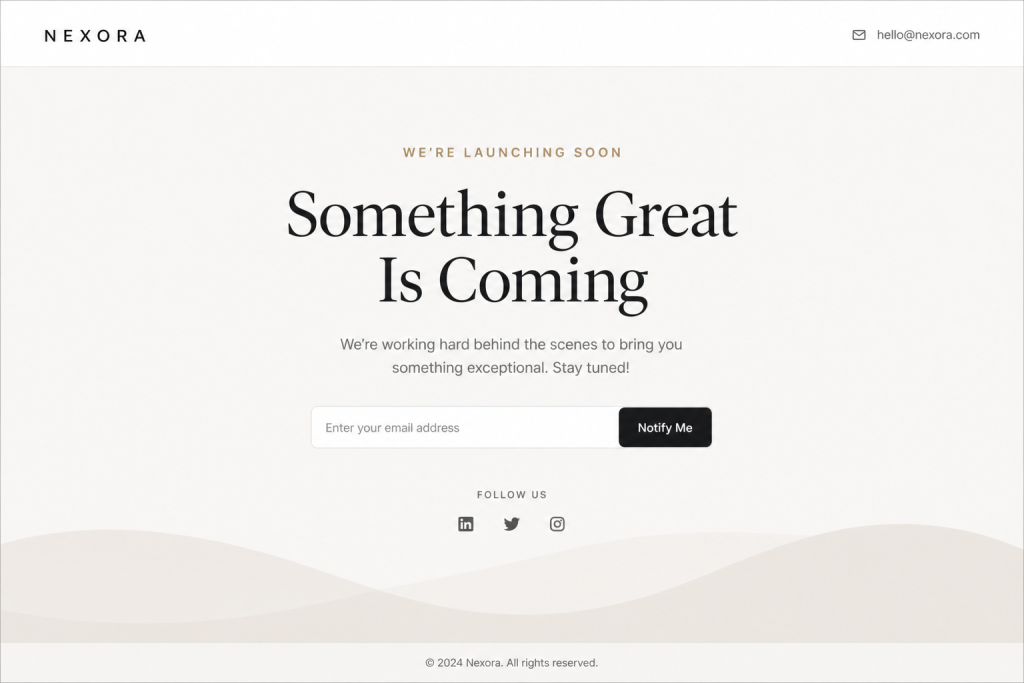
Minimalism is not laziness. It is confidence. The minimalist professional template strips everything down to its essentials: a logo, a headline, a short description and a single call to action.
This style works especially well for law firms, consultancies, financial services and any brand that wants to project authority and calm. The design communicates that the team behind it knows exactly what it is doing and does not need flashy visuals to prove it.
From an SEO perspective, these pages load quickly and score well on Core Web Vitals, which gives search engines a visibility boost even before the full site launches. Clean code, minimal assets and a focused meta description go a long way.
Key features to look for in this style include clean sans-serif typography, a single email opt-in field, subtle hover animations and a mobile-first layout. If you want to see a well-executed real-world example of this in action, explore the best coming soon page templates for WordPress, including a Corporate Professional option built precisely for this audience.
2. The High-Conversion Lead Magnet (With Opt-in Form)
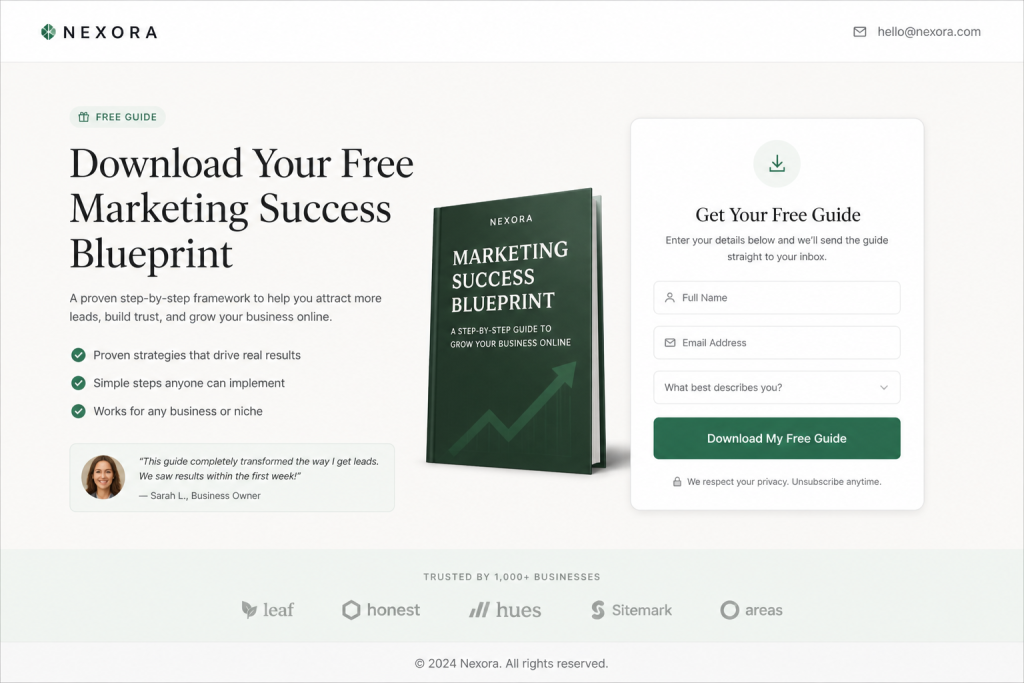
If your primary goal before launch is to build an email list, this template style is your best friend. It places an opt-in form front and center, typically paired with a compelling value proposition such as “Be the first to know” or “Get early access and a 20% discount.”
The best versions of this template integrate directly with email marketing platforms. A coming-soon templates page with a countdown timer adds urgency, reminding visitors that the launch window is closing and that signing up now gives them a privilege that will be unavailable later.
Design details that drive conversions here include a high-contrast call-to-action button, social proof elements such as “Join 3,000 others already signed up,” a short privacy note below the form field and a progress bar indicating how close the launch is.
This template type pairs naturally with email marketing integrations. Platforms that let you plug in an API key and automatically route subscribers to your list save time and eliminate the need for manual exports. Keep the form to a single field (email only) to maximize submission rates.
3. The Visual Storyteller (Full-Screen Video Background)
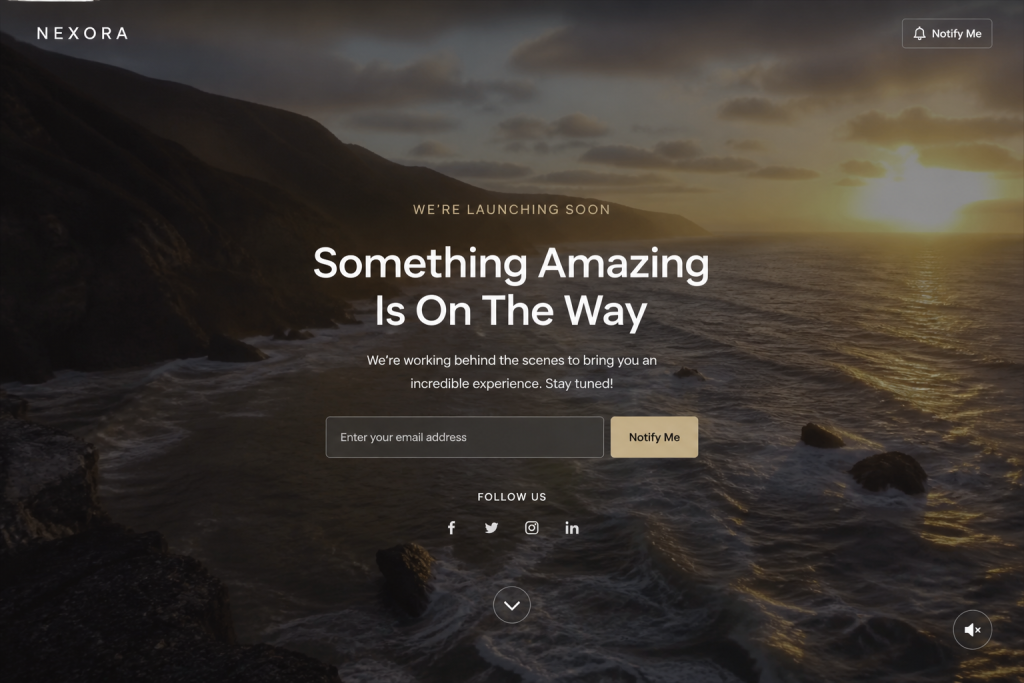
For brands in creative industries such as film, fashion, food and travel, the visual storyteller template is a statement maker. A full-screen video background plays silently on loop while a minimal text overlay sits in the foreground. The effect is cinematic and immersive, giving visitors a preview of the brand personality before the site is even ready.
The key to making this work is optimizing video quality and file size. A video that drags the page load time past three seconds will hurt more than help. Use compressed MP4 files, a fallback static image for mobile devices and lazy loading wherever possible.
This approach is a landing page design under construction that doubles as a brand film. It tells a story. It evokes emotion. And when executed well, it makes visitors eager to return on launch day simply because they want more of that feeling.
Pair this with a simple email field and a social media follow prompt so that the visual impact actually converts into something measurable.
4. The Countdown Specialist (Focus on Launch Date)
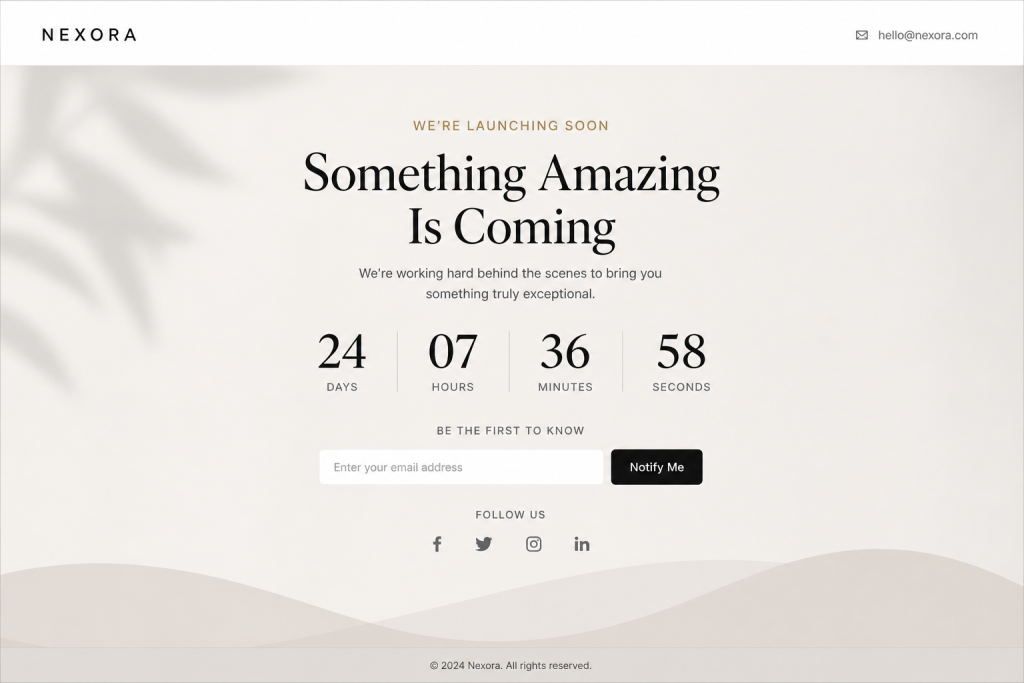
Urgency is one of the most powerful psychological levers in marketing and the coming soon templates page with a countdown timer template is built entirely around it. The clock ticks. The numbers drop. And every visitor feels the pull to act before the opportunity closes.
This template style works best when you have a hard, fixed launch date and a specific product or offer tied to it. A product launch, a limited-time early bird deal, a seasonal campaign and a course opening all benefit from a visible countdown.
Design-wise, the countdown element should be the largest and most prominent visual on the page. Use a clean, readable font for the digits and keep the background uncluttered. Pair it with a short one-sentence description of what is coming, an email opt-in form and social sharing buttons.
The psychological principle at work here is scarcity. Even if the product will be available indefinitely after launch, the act of counting down creates a perception of limited access. Brands that use countdown timers on their launch pages consistently report higher email sign-up rates compared to static pages.
5. The Animated Creative (Interactive Elements)
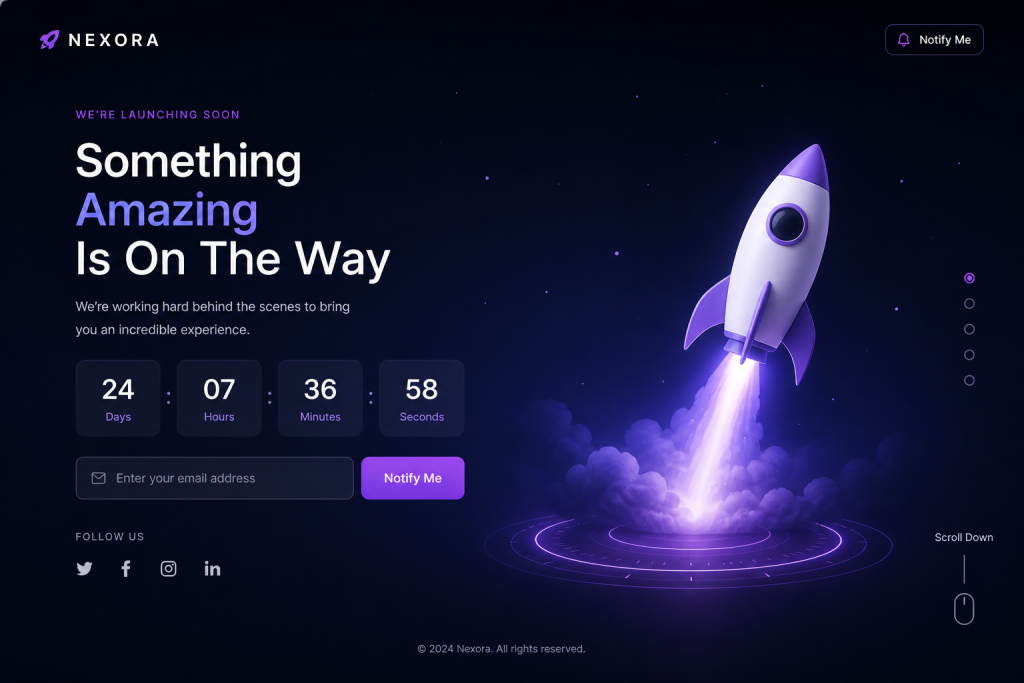
For digital agencies, game studios, app developers and startups that want to showcase their technical capabilities from day one, the animated creative template is the right choice. This is the category of coming soon templates where interactive elements, CSS animations, particle effects and scroll-triggered transitions make the page feel alive.
The goal here is to communicate skill through the page itself. If you are launching a motion design tool, an animation studio and an interactive experience, a flat, static page would undercut your message. The page should be the portfolio.
Keep the interaction purposeful. Animations that serve the narrative or guide the eye to the call to action are valuable. Animations that exist purely as visual noise do the opposite. Balance is everything: enough movement to impress, not so much that it overwhelms.
Also consider accessibility. Animations should respect the user’s reduced motion preference settings. A good template in this category will include a prefers-reduced-motion media query by default.
6. The Social Connector (Focus on Community Building)
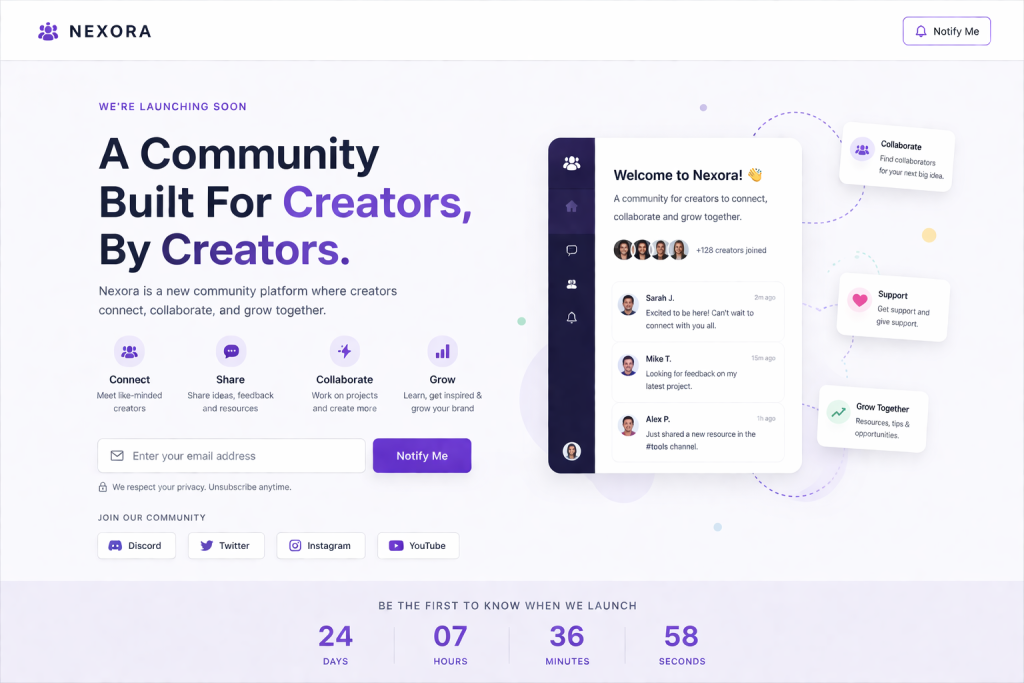
Some launches are not just about a product; they are about a movement. The social connector template is designed for brands that want to build a community before the doors open. It prominently features social media handles, links to a Discord server, a YouTube channel and a LinkedIn page and encourages visitors to follow along on the journey.
This style works particularly well for content creators, community platforms, indie game developers and membership sites. The message is less about “we are coming soon” and more about “join us as we build this together.”
From a design standpoint, the social icons should be large and prominent, not tucked away in a footer. Include a short manifesto or mission statement that explains what the brand stands for and why it matters. A feed preview or embedded social post can add real-time dynamism to the page.
The goal is to convert a one-time visitor into a long-term follower before the product even exists. If done right, launch day becomes a celebration shared by a community that already feels invested.
7. The Multi-Purpose Powerhouse (Highly Customizable)
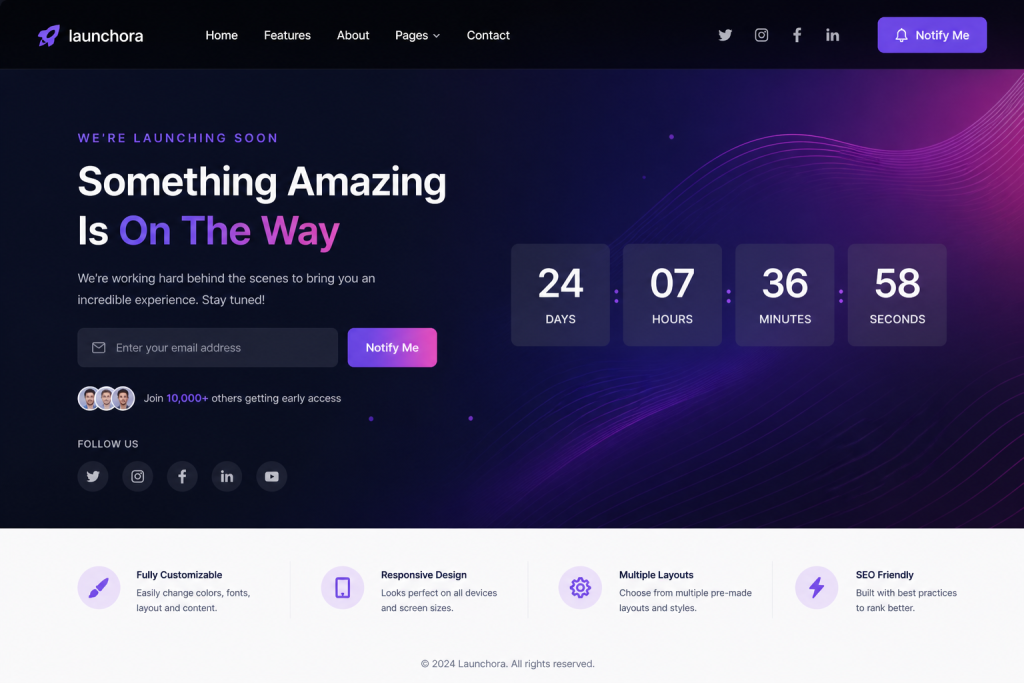
Not every project fits neatly into one category. The multi-purpose powerhouse template is built for flexibility. It is the responsive coming soon template that a designer or developer reaches for when they want full control over layout, color palette, typography, imagery and interactive elements without starting from scratch.
This type of template typically comes with a visual builder or modular component system. Sections can be swapped in and out. Color schemes can be changed with a single selection. Typography pairs can be tested in minutes. The structure is there, but the design is yours.
For WordPress users, this kind of flexibility is best achieved through a dedicated coming soon page plugin that offers template management, color customization, background settings and typography controls all from a single dashboard. No coding. No theme conflicts. Just a clean page that looks exactly the way you want it to.
This template style is ideal for agencies managing multiple client sites, freelancers building launch pages as a service and businesses that want to maintain brand consistency across different campaigns.
8. The Mobile-First Template (Optimized for Handhelds)
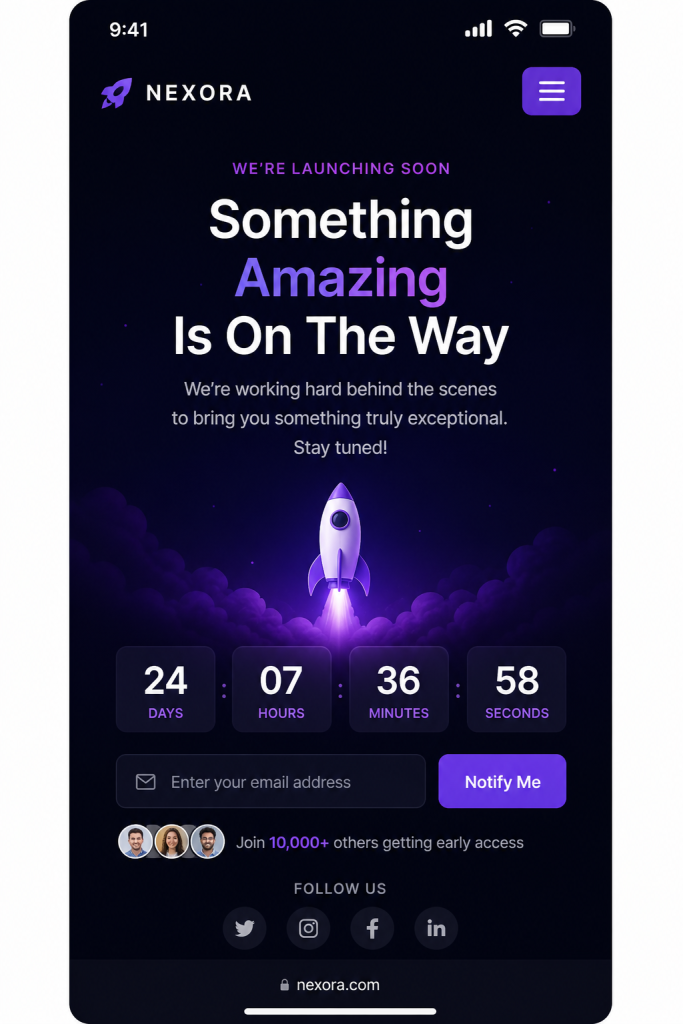
More than 60 percent of global web traffic now comes from mobile devices. If your coming soon page is not optimized for handhelds, you are turning away the majority of your audience before they even read your headline. The mobile-first template is designed for the smallest screen upward, then adapted for tablets and desktops.
What does mobile-first design actually mean in practice? It means tap-friendly buttons that are at least 44px tall. It means single-column layouts that do not require horizontal scrolling. It means readable font sizes without zooming. It means images that are served at the right resolution for the device, not oversized desktop images scaled down.
For a coming soon page, mobile optimization also means a form that is easy to fill out on a touchscreen. A single-field email form with a large submit button will always outperform a multi-field form on mobile. Keep it simple and the conversion rate will reflect it.
Test your page on real devices, not just browser resize tools. What looks fine in a desktop browser can break in unexpected ways on an actual smartphone. A good template in this category will be tested across iOS Safari, Chrome for Android and the major browser variants.
9. The Dark Mode Aesthetic (Cyberpunk and Sleek Styles)

Dark backgrounds with neon accents, glowing typography and sharp geometric shapes define the dark mode aesthetic coming soon templates. This style has evolved from a niche design choice to a mainstream preference, especially among tech-savvy audiences, gaming communities, cryptocurrency platforms and digital-native brands.
The appeal is both visual and practical. Dark mode reduces eye strain in low-light environments and it can make certain design elements, such as gradient text, glowing effects and high-contrast imagery, look far more dramatic than they would on a white background.
For a coming-soon page, a dark aesthetic signals that the product or service is modern, cutting-edge and built for a digital-first audience. The template typically features a bold headline in white or neon color, a countdown timer with glowing digits and a sleek email field with a neon-accented submit button.
Pair this style with subtle background animations like particle fields, moving grid lines and slowly shifting gradient blobs to add depth without sacrificing performance. The overall effect should feel polished and intentional, not chaotic.
10. The Budget-Friendly Standard (Simple HTML/CSS)
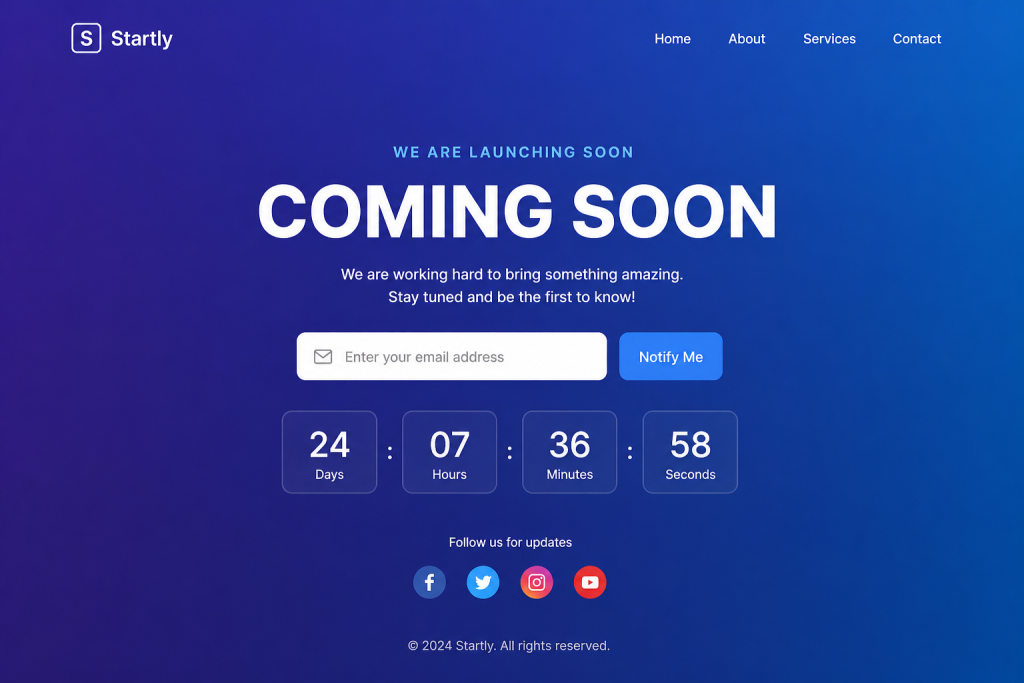
Not every project has a large budget or a technical team behind it. The budget-friendly standard template is a simple, free coming-soon HTML template that gets the job done without friction. It is clean, it is fast and it communicates the core message with minimal overhead.
This category includes templates that can be downloaded, edited in a text editor and deployed to any web server without a CMS or page builder. They typically consist of a single HTML file, a CSS file and a small JavaScript file for the countdown logic. No database. No server-side code. Just static files.
For developers who want a quick placeholder while they work on the real site and for non-technical users who just need something up today, this style delivers. The design is intentionally simple but clean enough not to embarrass a brand.
If you are using WordPress, there is a better path. A purpose-built plugin gives you template switching, form integrations, analytics and SEO settings without writing a line of code. Check out the guide on how to add a coming soon page in WordPress without coding for a step-by-step walkthrough.
Design Best Practices for Coming Soon Pages in 2026
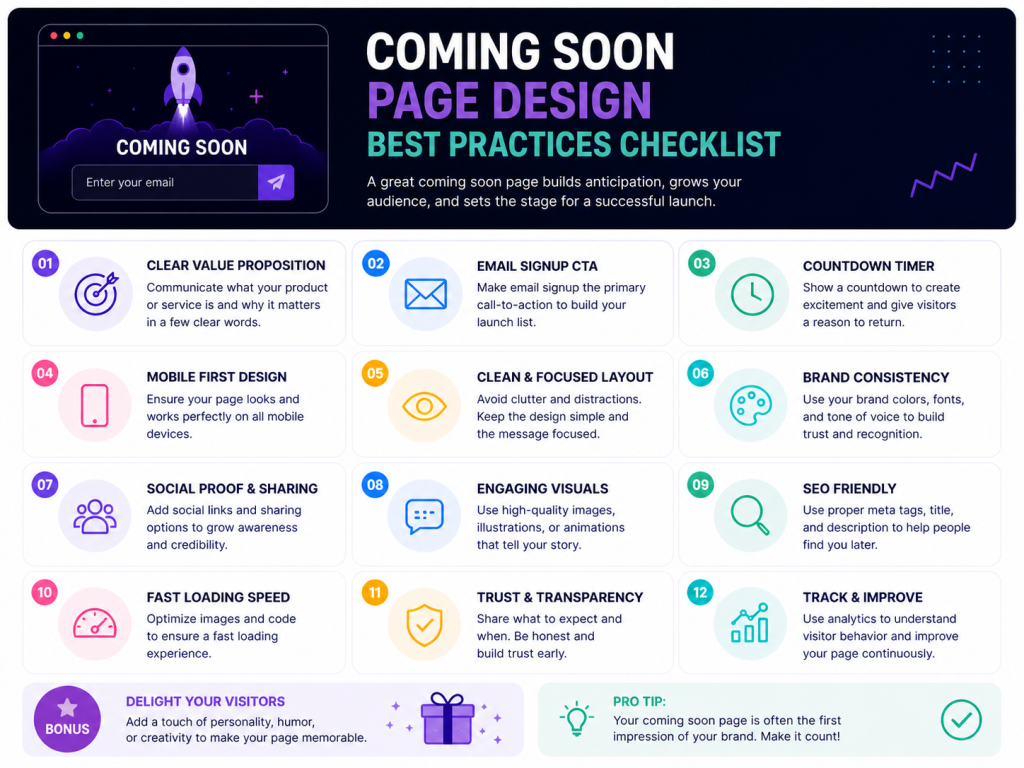
Having the right template is only half the equation. How you configure and populate that template determines whether it converts. These best practices apply regardless of which style you choose.
Keep the Message Clear and Direct
Visitors who land on a coming soon page need to understand three things in under five seconds. Who you are, what you are building and why they should care. Your headline carries most of this weight. Keep it short, confident and benefit-focused. “The smartest invoicing tool for freelancers, launching soon” is better than “We are working hard and coming soon.”
Use a Single, Strong Call to Action
Giving visitors too many choices leads to decision paralysis. Pick one action you want them to take and design the entire page around it. In most cases, that action is entering their email address. Every other element on the page should support that goal, not compete with it.
Optimize for Search Engines from Day One
A coming soon page can start building search engine authority before the full site launches. Add a proper title tag, a meta description and if relevant, a canonical URL. Include your target coming soon page best practices keywords naturally in your headline and body copy. Configure your robots.txt file to allow crawlers to index the page but block access to unfinished areas of the site.
Integrate Email Collection with Your Marketing Stack
A coming soon page that collects emails but stores them nowhere useful is a missed opportunity. Connect your form to your email marketing platform from the start. Every subscriber should flow directly into a pre-launch segment so you can nurture them with updates, sneak peeks and launch announcements automatically.
Test Load Speed Ruthlessly
A page that takes more than two seconds to load on mobile loses visitors before they read a word. Compress images. Minimize scripts. Use a CDN if possible. Target a Google PageSpeed Insights score above 90 on mobile and 95 on desktop. This is especially important if you are running paid traffic to the page.
Make Social Sharing Easy
When a visitor shares your coming soon page, they become a marketing channel. Make that as frictionless as possible. Pre-fill the share text, include an Open Graph image so the link preview looks sharp on social feeds and consider a referral incentive for visitors who bring others to the page.
Use Real Countdown Timers Only When You Have a Real Date
Nothing erodes trust faster than a coming soon page with a countdown timer that resets every time a user clears their cookies and worse, a timer that hits zero and then just resets to a new date. Use a countdown only if you have a real, committed launch date. If you do not yet know the date, use a progress bar or an “notify me” opt-in instead.
Respect Privacy and Be Transparent
If you are collecting email addresses, tell visitors exactly what they are signing up for. A short one-line note below the form field, such as “No spam. Only launch updates and early access info,” builds trust and reduces the friction of handing over a personal email address.
Bonus: Choosing the Right Coming Soon Page Plugin for WordPress
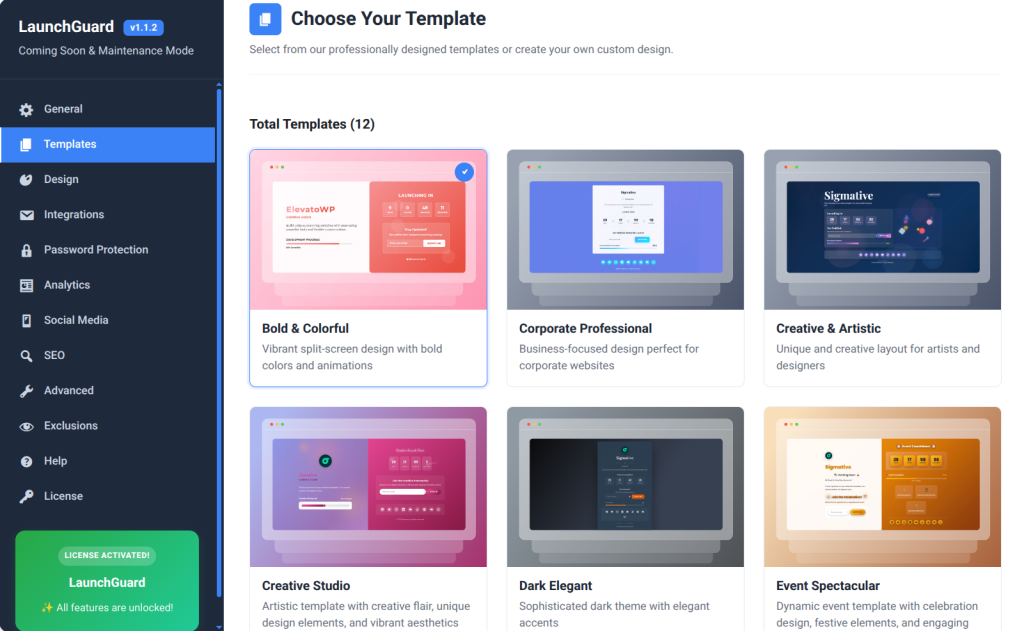
WordPress powers over 40 percent of the web and the coming soon page plugin ecosystem for WordPress is large and varied.
Choosing the right one matters because the plugin you pick determines what features you have access to, how much control you have over the design and how your page performs from an SEO standpoint.
When evaluating a maintenance mode page plugin, look for these capabilities in particular:
- Pre-built, professionally designed templates that cover a range of styles
- A visual customizer for colors, typography and layout without touching code
- Countdown timer functionality with a real-time display
- Email opt-in integration with popular marketing platforms
- SEO settings, including title tag, meta description and custom HTML support
- Analytics to track visitor counts, conversion rates and traffic sources
- Password protection for client previews or team access
- Responsive design that looks correct on all screen sizes
- Access control so logged-in administrators can view the full site
One plugin that consistently checks all of these boxes for WordPress users is Launch Guard by BdThemes. It is a lightweight, purpose-built solution that gives you over a dozen professionally designed coming soon templates out of the box, along with a full suite of customization tools, email integrations, real-time analytics and SEO configuration options, all from a single clean dashboard.
The plugin is built with WordPress best practices in mind, which means it does not bloat your installation, it plays well with major themes and it does not interfere with your SEO during the pre-launch period. You can activate it, choose a template, fill in your details and have a professional coming soon page live in minutes without writing a line of code.
For a deeper look at the templates available, visit the 10 best coming soon page templates for WordPress and see how each design handles different brand requirements.
Frequently Asked Questions
What should a coming soon page include?
At a minimum, a coming soon page should include your brand name or logo, a clear headline explaining what is being built, an email opt-in form and some indication of when to expect the launch. A countdown timer, social media links and a short description of the value proposition are also valuable additions.
Do coming soon pages hurt SEO?
Not if they are configured correctly. A well-optimized coming soon page with proper title tags, meta descriptions and an allowed robots.txt entry can actually begin earning search engine authority before the full site launches. The key is to avoid returning a 503 status code for extended periods and to make sure the page is indexable.
How long should a coming soon page stay up?
There is no universal rule, but coming soon pages work best when paired with a defined launch timeline. If your page is up for more than three months, consider updating it periodically with progress updates, new teasers and additional incentives to maintain visitor interest and keep the email list growing.
What is the difference between a coming soon page and a maintenance mode page?
A coming soon page is used when a site is being built for the first time and has never been publicly available. A maintenance mode page is used when an existing site is taken offline temporarily for updates or fixes. Both serve a similar purpose visually, but they carry different SEO implications and communication contexts.
Can I collect leads before my site launches?
Absolutely and this is one of the most valuable things a coming soon page can do. By capturing email addresses before launch, you build an audience that is already interested in your product. When launch day arrives, you have a warm list ready to convert rather than starting from zero.
Do I need coding skills to set up a coming soon page on WordPress?
No. With the right plugin, you can set up a coming soon page in WordPress without any coding. A good plugin handles template selection, customization, form integration and SEO settings through a visual dashboard.
Final Thoughts
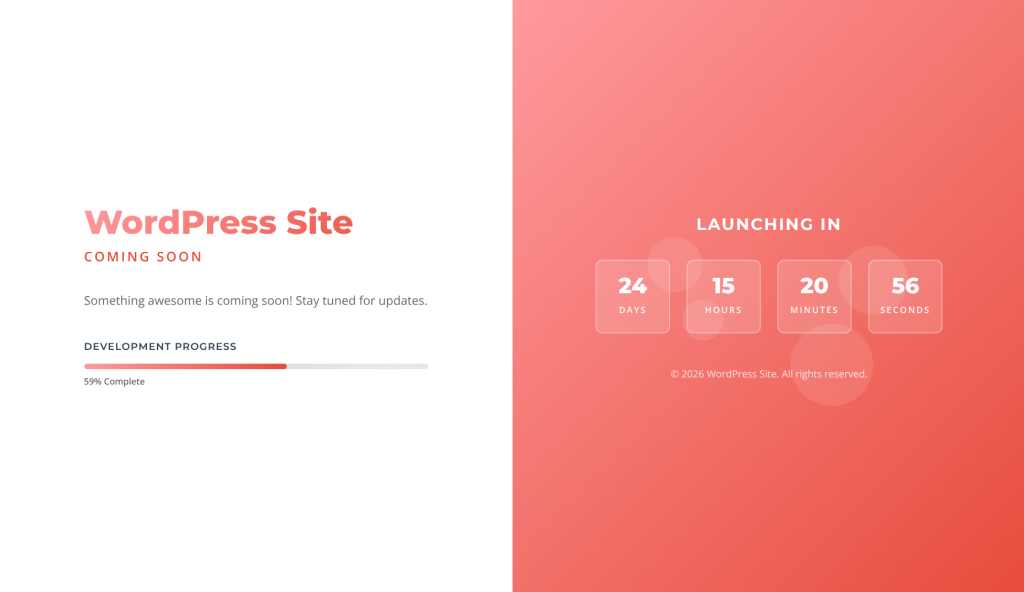
A coming soon page is rarely the most glamorous part of building a website, but it is one of the most strategically important. Done well, it protects your brand, builds anticipation, grows your email list and starts earning SEO authority, all before you have launched a single product page.
The ten template styles covered in this guide represent the full spectrum of what a coming soon page can be, from the clean and minimal to the cinematic and interactive. The right choice depends on your brand, your audience and what you want visitors to do when they land on the page.
Whatever direction you choose, prioritize clarity, speed and a single focused call to action. Make it easy for visitors to hand over their email address. Make it worth their while with a compelling reason to do so. And make sure the page looks just as good on a phone screen as it does on a widescreen monitor.
For WordPress users who want a reliable, no-code solution that covers all of these bases, Launch Guard from BdThemes is a strong choice.
It brings professional templates, deep customization, email integrations, analytics and SEO tools into a single plugin built specifically for WordPress. Explore the full template library to find the design that fits your next launch.
Your launch day matters. Make sure the world knows it is coming.