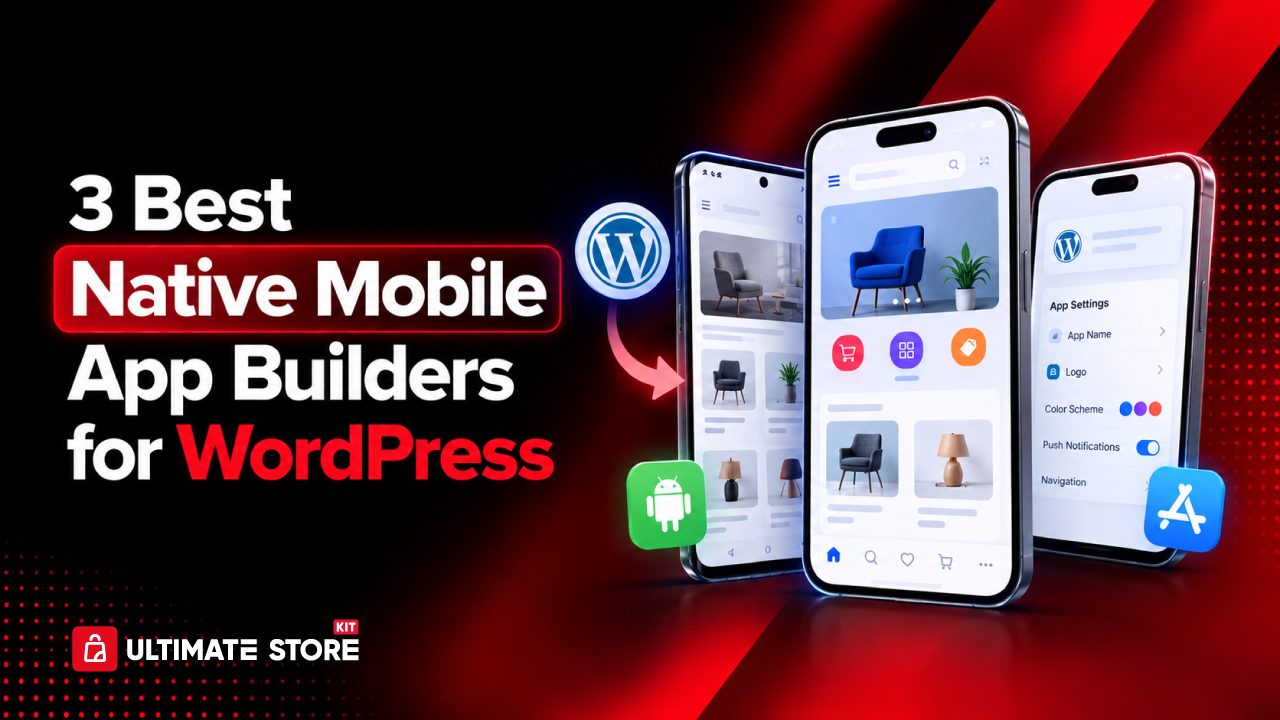
The best native mobile app builders for WordPress help you turn an existing website into an iOS and Android app. For businesses that depend on mobile users, turning that website into a native iOS and Android app can create a faster, more convenient way for customers, members, students, shoppers, and communities to interact with the brand.
The challenge is choosing the right mobile app builder.
There are now several platforms that help WordPress users create mobile applications without having to build everything from scratch in Swift or Kotlin or work with a traditional development team.
However, these platforms differ significantly in their approach, integrations, customization options, publishing workflows, and native mobile capabilities.
For WordPress site owners looking for the best native mobile app builders, AppNatively, AppPresser, and ZenAppBuilder are three options worth considering.
Based on their current feature sets and overall flexibility for WordPress businesses, our ranking is:
- AppNatively: Best overall native app builder for WordPress
- AppPresser: Best for established WordPress-specific app functionality
- ZenAppBuilder: Best for WordPress users who want a tightly integrated visual builder
Let’s look at what makes each platform different and which type of WordPress website each one is best suited for.
On This Page
- AppNatively
- AppPresser
- ZenAppBuilder
- App builder feature comparison
- How to choose a WordPress app builder
- Frequently asked questions
What Is a Native Mobile App Builder for WordPress?
A native mobile app builder for WordPress is a platform that helps convert an existing WordPress website and its functionality into an installable mobile application for iOS, Android, or both.
Instead of rebuilding the entire business from the ground up, the builder connects the mobile app with the website’s existing content, data, users, products, listings, or other functionality.
A modern WordPress app builder may provide features such as:
- Visual drag-and-drop app design
- WordPress content synchronization
- WooCommerce integration
- User authentication
- Push notifications
- Native navigation
- Mobile-specific screens
- Maps and location features
- Offline functionality
- App analytics
- App Store and Google Play publishing
- Native device capabilities
- API integrations
The important distinction is that a native app should provide a mobile experience designed for iOS and Android rather than simply displaying a website inside a mobile browser.
For WordPress businesses, the right platform depends on what the app needs to accomplish.
An online store may prioritize product catalogs, carts, checkout, and order management. An LMS may need courses, lessons, quizzes, and student accounts. A directory may require listings, maps, filters, reviews, and location-based browsing.
That is why comparing app builders by their actual capabilities is more useful than simply looking at whether they can “turn WordPress into an app.”
Best Native Mobile App Builders for WordPress at a Glance
| Rank | App Builder | Best For | Key Strength |
| 1 | AppNatively | WooCommerce, SureCart, FluentCart, all directory plugins, Form plugins. | Visual native app building and broad integrations |
| 2 | AppPresser | WordPress-focused applications only | Mature WordPress ecosystem |
| 3 | ZenAppBuilder | WordPress-native visual workflows | WordPress-focused visual app building |
Now, let’s compare the best native mobile app builders by their integrations, design tools, and publishing options.
1. AppNatively: Best Overall Native App Builder for WordPress
Best for: WordPress businesses, WooCommerce stores, SureCart, FluentCart stores, directories, booking platforms, websites, restaurants, membership websites, and agencies that want a highly customizable native mobile experience.
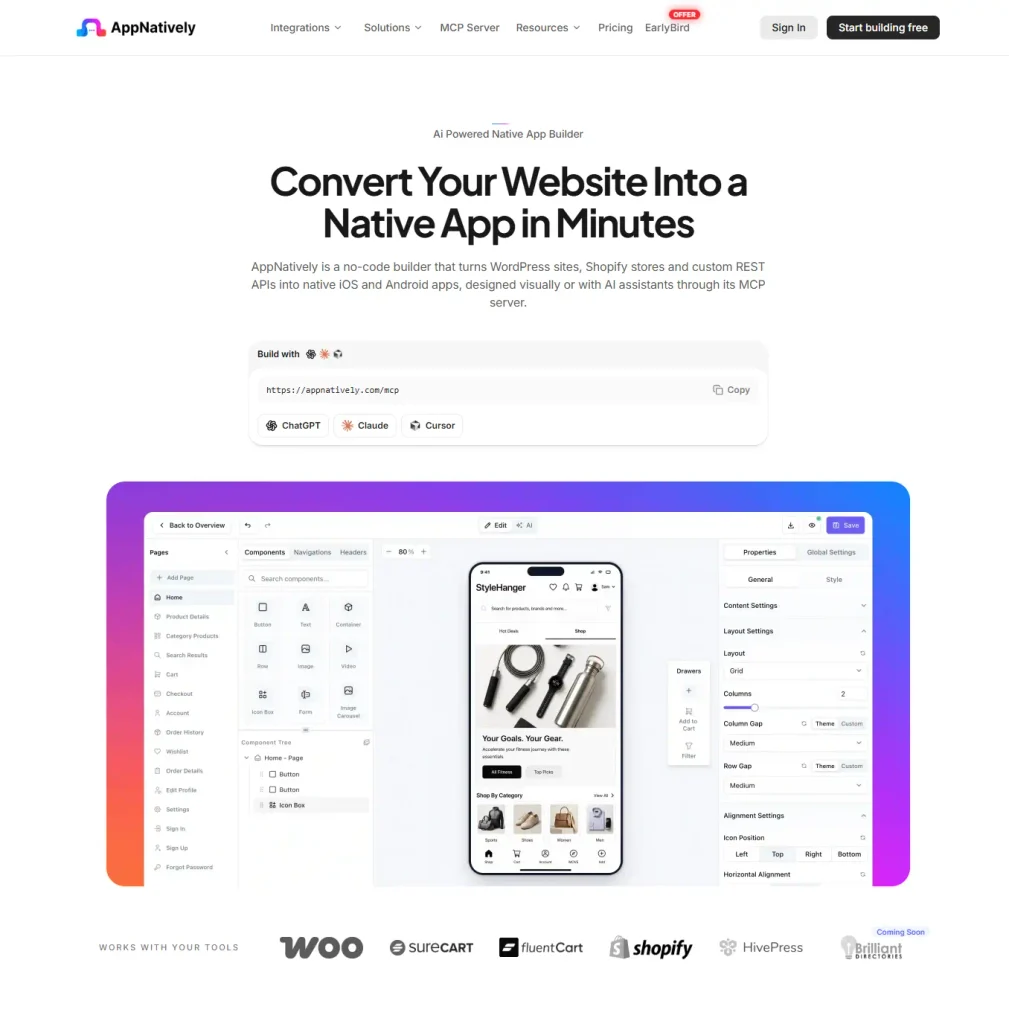
AppNatively by Crafium takes a visual-first approach to native app development. Instead of simply wrapping a WordPress website in an app, it lets users connect their existing website or backend, visually design mobile screens, and create native iOS and Android applications.
The platform is designed around a simple workflow: connect, design, and launch.
Its current platform supports WordPress along with integrations including WooCommerce, SureCart, FluentCart, Directorist, GeoDirectory, aDirectory, and other website and backend technologies.
Visual App Building
One of AppNatively’s main advantages is its visual app-building approach.
Users can create mobile interfaces using production-ready components rather than manually developing every screen. Components include common elements such as buttons, text, images, carousels, products, categories, carts, checkout elements, profiles, authentication, listings, maps, and reviews.
This makes the platform useful for businesses that want more control over the mobile experience than a basic website-to-app conversion provides.
Designed for Different WordPress Business Models
AppNatively isn’t limited to blogs or basic content websites.
For example, a WooCommerce business can build an app around products, categories, carts, checkout, orders, profiles, and wishlists.
A directory website can use listing components, locations, maps, filters, reviews, and listing details. AppNatively’s GeoDirectory integration, for example, supports listing, category, location, review synchronization, map browsing, and search and filtering.
That makes it particularly relevant to WordPress websites, where the mobile app needs to do more than just display posts.
Native App Features
AppNatively also focuses on features that help an app behave like a dedicated mobile product.
Its platform currently includes native iOS and Android builds, OTA updates, push notifications, real-time preview capabilities, and direct App Store and Google Play workflows.
OTA updates can be particularly useful for businesses that frequently change app content or interface elements. Instead of requiring users to download a new version for every eligible change, supported updates can be delivered directly to installed apps.
The platform also offers MCP connectivity, allowing compatible AI assistants to interact with the app-building workflow through conversational commands.
Who Should Choose AppNatively?
AppNatively is a strong choice if you want:
- A visual native app builder
- iOS and Android support
- WordPress and WooCommerce integration
- Directory and listing functionality
- Custom mobile screen design
- Push notifications
- OTA updates
- App Store and Google Play publishing
- Native components rather than simply displaying a website
- A platform that can work with different types of WordPress businesses
For businesses that want to build a more customized mobile experience around their existing WordPress ecosystem, AppNatively is the strongest overall option in this comparison.
2. AppPresser: Best for WordPress-Specific App Functionality
Best for: WordPress users who need established integrations with WordPress-focused platforms and functionality such as WooCommerce, memberships, BuddyPress, BuddyBoss, and LearnDash.
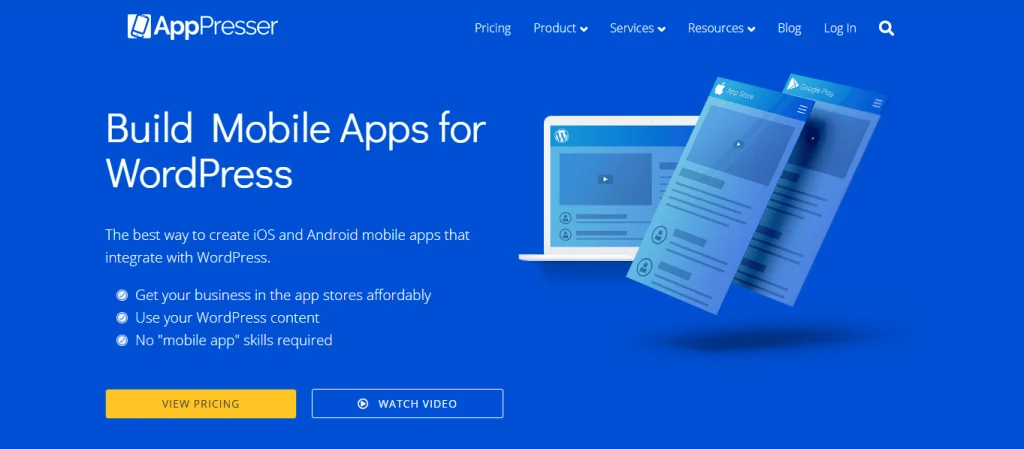
AppPresser is one of the more established names in the WordPress mobile app space.
Its platform is specifically designed around WordPress and supports applications for various WordPress websites, including WooCommerce stores, membership websites, BuddyPress and BuddyBoss communities, podcasts, LearnDash websites, nonprofits, schools, organizations, and small businesses.
A WordPress-Centered Approach
One of AppPresser’s biggest strengths is its close relationship with the WordPress ecosystem.
The AppPresser WordPress plugin acts as the connection layer between a WordPress website and the mobile application. The company explains that the plugin itself is not the complete app creator. Instead, it connects the WordPress website to an app created through the AppPresser platform.
This approach can make sense for businesses that already have a WordPress-heavy technology stack.
App Page Builder
AppPresser provides an App Page Builder that lets users combine various WordPress features into a single application.
For example, a learning application could combine LearnDash functionality with BuddyPress features, allowing students to access courses while also communicating with other members.
This modular approach can be useful when the mobile application needs to integrate several WordPress features.
Push Notifications and Mobile Features
AppPresser also provides push notifications, login and registration, social sharing, camera access, translations and RTL support, offline content, protected content, analytics, advertising options, maps, and location-related functionality.
This gives WordPress users a substantial set of options for creating applications that build on existing website functionality.
Who Should Choose AppPresser?
AppPresser can be a good fit if your website relies heavily on:
- WordPress memberships
- BuddyPress or BuddyBoss
- LearnDash
- WooCommerce
- WordPress content
- Community functionality
- Existing WordPress-specific workflows
If deep WordPress specialization is your top priority, AppPresser deserves a place near the top of your shortlist.
3. ZenAppBuilder: Best for a WordPress-Native Visual Workflow
Best for: WordPress users who want to manage app creation directly from their WordPress dashboard and prefer a visual builder closely integrated with the WordPress environment.
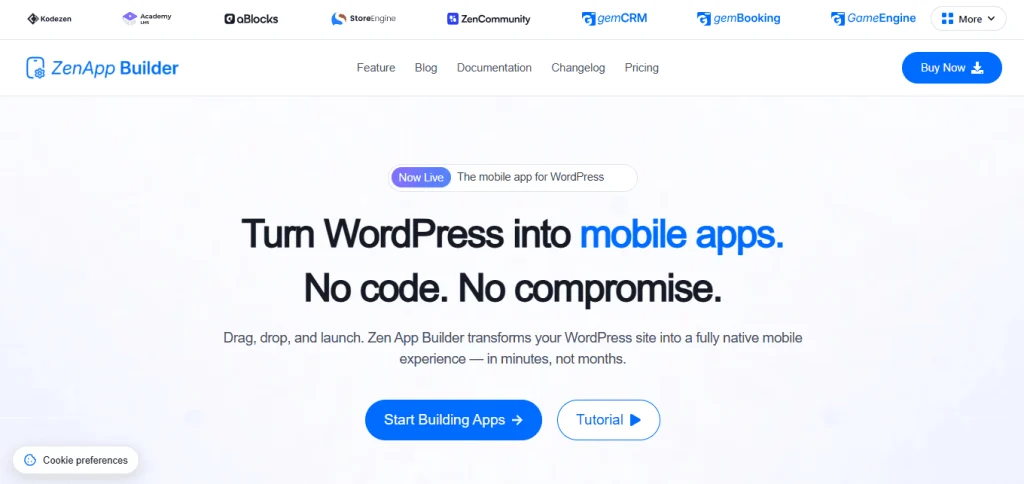
ZenAppBuilder takes a WordPress-first approach to mobile application development.
The platform describes itself as a no-code solution for transforming WordPress websites into native mobile experiences. Its workflow centers around connecting WordPress, visually customizing app screens, and publishing to app stores.
Visual Drag-and-Drop Builder
ZenAppBuilder provides a drag-and-drop canvas for creating mobile screens, along with live previews for different device sizes.
Its feature set includes screen management, reusable global blocks, theme customization, navigation options, Google Fonts, multiple app management, user preview modes, and version history.
For WordPress administrators who want to keep app management close to their existing website workflow, this can be an attractive approach.
WordPress Plugin Integrations
ZenAppBuilder currently offers integrations with products in its own WordPress ecosystem, including Academy LMS, StoreEngine, and ZenCommunity. WooCommerce is listed as a coming integration on its current website.
Academy LMS users can build mobile learning experiences with course listings, enrollment, lessons, progress tracking, quizzes, notes, assignments, and certificates.
This makes ZenAppBuilder particularly interesting for education and community-focused WordPress projects.
Push Notifications
The platform also includes a push notification system with Firebase integration, device token management, notification history, delivery analytics, and role-based targeting.
For businesses that depend on mobile notifications, these features can help create a more direct communication channel with app users.
Who Should Choose ZenAppBuilder?
ZenAppBuilder may be a strong option if you:
- Want a WordPress-focused app builder
- Prefer a visual drag-and-drop workflow
- Run Academy LMS
- Use ZenCommunity
- Use StoreEngine
- Want app management closely connected to WordPress
- Need built-in push notification functionality
Its ecosystem is currently more focused than that of some broader app-building platforms, so checking which specific integrations your website needs is important before choosing it.
AppNatively vs AppPresser vs ZenAppBuilder
These three native mobile app builders take different approaches to WordPress integration, customization, and app publishing.
| Feature | AppNatively | AppPresser | ZenAppBuilder |
| WordPress support | ✓ | ✓ | ✓ |
| Visual app builder | ✓ | ✓ | ✓ |
| Native iOS & Android | ✓ | ✓ | ✓ |
| WooCommerce | ✓ | ✓ | Not yet |
| Push notifications | ✓ | ✓ | ✓ |
| App Store publishing | ✓ | ✓ | ✓ |
| Google Play publishing | ✓ | ✓ | ✓ |
| OTA updates | ✓ | Varies | Varies |
| GeoDirectory integration | ✓ | Not yet | Not yet |
| HivePress integration | ✓ | Not yet | Not yet |
| Directorist integration | ✓ | Not yet | Not yet |
| aDirectory integration | ✓ | Not yet | Not yet |
| Business Directory Plugin integration | ✓ | Not yet | Not yet |
| Forms integrations | ✓ | Not yet | Not yet |
| Custom mobile UI | ✓ | ✓ | ✓ |
| MCP/AI-assisted workflow | ✓ | Not yet | Not yet |
| Best suited for | Broad WordPress businesses | WordPress-specific apps | WordPress-native workflows |
Feature availability can change as each platform develops, so businesses should verify the latest integration and publishing requirements before committing to a platform.
How to Choose the Right WordPress Mobile App Builder
Choosing among the best native mobile app builders starts with your website’s actual requirements, not the number of features listed on a pricing page.
Here are five questions worth asking.
1. What does your WordPress website do?
Start with the core purpose of your website.
A simple blog has very different requirements from a WooCommerce store, LMS, directory, booking platform, or membership community.
Make a list of the functions your users depend on every day and confirm that the app builder can support them.
2. Does it support your WordPress plugins?
This is one of the most important questions.
If your website depends on WooCommerce, LearnDash, BuddyPress, a directory plugin, membership software, or a booking system, the mobile app needs a reliable way to work with that functionality.
A visually impressive app is not useful if your customers cannot access the features they actually need.
3. Is the app truly designed for mobile?
Look beyond the phrase “turn your website into an app.”
Ask whether the platform provides mobile-specific navigation, native components, push notifications, device features, offline capabilities, and appropriate mobile interactions.
The goal should be to create a useful mobile product, not simply put a website inside an app package.
4. How easy is it to update?
Mobile apps need ongoing maintenance.
Your website will change. Products will be added. Content will be updated. Promotions will change. WordPress and its plugins will receive updates.
A good app-building platform should make it easy to maintain the application without having to rebuild everything from scratch.
Features such as OTA updates can make certain types of app updates considerably more convenient.
5. How much control do you need?
Some website owners want a straightforward conversion.
Others want to completely redesign the mobile experience.
If your app needs custom navigation, dedicated screens, specialized components, maps, filters, product experiences, or custom APIs, look for a platform that gives you enough control to build those experiences.
Are Native Apps Better Than WordPress Websites on Mobile?
Not necessarily. A responsive WordPress website remains the right solution for many businesses. For online stores, start with a mobile-friendly WooCommerce product page and customize your WooCommerce checkout before deciding whether a dedicated app adds value.
A native app becomes more attractive when users frequently return to the business and would benefit from features such as push notifications, faster access, personalized experiences, mobile-specific navigation, offline functionality, or device capabilities.
For example, an online store may use an app to send product alerts and promotions. An LMS can use notifications to remind students about courses. A directory can provide location-focused browsing. A membership community can use mobile notifications to bring users back into conversations.
The question is therefore not whether every WordPress website needs an app.
The better question is whether an app provides a meaningful experience that a mobile website cannot provide as efficiently.
Which Is the Best Native Mobile App Builder for WordPress?
AppNatively is the best overall choice in this comparison for WordPress businesses that want a flexible, visual native app-building platform with broad use cases.
Its combination of visual screen building, native iOS and Android support, WordPress and WooCommerce compatibility, directory functionality, push notifications, OTA updates, app publishing, and AI-assisted workflows makes it particularly suitable for businesses seeking greater control over their mobile experience. Additionally, it supports custom APIs, Shopify, etc.
AppPresser is a strong alternative for WordPress users who need established WordPress-focused functionality, particularly around WooCommerce, memberships, BuddyPress, BuddyBoss, and LearnDash.
ZenAppBuilder is worth considering for WordPress users who want a highly integrated visual workflow, especially those working only with its supported Academy LMS, ZenCommunity, and StoreEngine.
Ultimately, the best platform is the one that supports your website’s core functionality while delivering a genuinely useful mobile experience for your users.
Frequently Asked Questions (FAQs)
What is the best native mobile app builder for WordPress?
AppNatively is the best overall option in this comparison because it combines visual native app building with WordPress, WooCommerce, directory, and other integrations, along with features such as push notifications, OTA updates, and iOS and Android publishing.
Can I turn a WordPress website into a native mobile app without coding?
Yes. Platforms such as AppNatively, AppPresser, and ZenAppBuilder provide visual tools that allow WordPress users to create mobile applications without traditional mobile development.
However, the amount of customization and technical control varies between platforms.
Can a WordPress mobile app support WooCommerce?
Yes. WooCommerce-focused mobile applications can provide features such as product browsing, categories, carts, checkout, customer accounts, and orders, depending on the app builder and its integration capabilities.
AppNatively specifically provides WooCommerce-focused native components and workflows.
Can WordPress apps send push notifications?
Yes. Push notifications are supported by all three platforms discussed in this article.
Do I need separate apps for iOS and Android?
You generally need platform-specific builds for iOS and Android, but a modern app builder can let you manage both platforms from one development workflow.
This can significantly reduce the amount of separate development work compared with building two applications independently.
Can a WordPress app be published on the App Store and Google Play?
Yes. Native app builders can generate builds intended for Apple’s App Store and Google Play, although the final publishing process still requires complying with each platform’s developer account, app review, privacy, and technical requirements.
Should every WordPress website have a mobile app?
No. A responsive website may be sufficient for businesses whose users visit occasionally.
A native app makes more sense when users return frequently or benefit from push notifications, personalized experiences, mobile-specific features, offline access, or faster access to core functionality.
What should I check before choosing a WordPress app builder?
Check five things first: WordPress compatibility, plugin integrations, native mobile capabilities, customization options, and publishing and update workflows.
Your decision should be based on what your users need from the app rather than simply choosing the builder with the longest feature list.
Final Thoughts
WordPress has evolved far beyond traditional blogging and content publishing. Today, businesses use it to run stores, directories, learning platforms, communities, booking websites, membership services, and much more.
As these websites become more sophisticated, their mobile experiences need to evolve as well.
The best native mobile app builders for your WordPress site depend on its plugins and user journeys; AppNatively, AppPresser, and ZenAppBuilder each take a different approach.
AppNatively stands out for its broad functionality and flexible visual approach. AppPresser remains a strong option for WordPress-centric applications and established plugin ecosystems. ZenAppBuilder offers an increasingly capable WordPress-native workflow for users who want to manage app creation in close tandem with their website.
The best choice ultimately depends on the type of WordPress website you operate, the plugins you rely on, and how much control you want over the final mobile experience.
Before making a decision, map your website’s most important user journeys first. Then choose the platform that can reproduce those journeys in a fast, intuitive, and genuinely mobile-first application.