
WooCommerce powers over 4.5 million active stores and holds approximately 33% of the global ecommerce market (StoreLeads, April 2026).
Yet despite this scale, the platform ships with forms that fall short.
The native checkout fields are rigid, product pages offer only basic variation dropdowns and there is no visual way to show or hide inputs based on customer choices.
Every experienced store owner runs into this wall eventually.
A dedicated WooCommerce form builder changes that entirely. This guide covers the 10 best options available today, with a full breakdown of features, pricing, pros and cons, so you can choose the right tool for your store.
What Is a WooCommerce Form Builder?
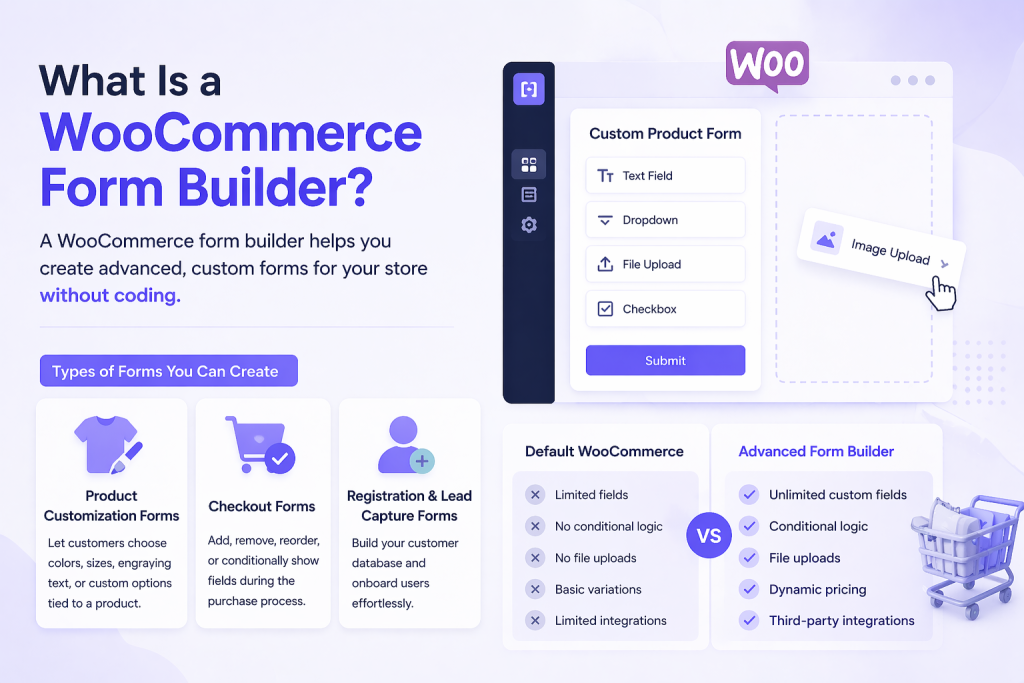
A WooCommerce form builder is a plugin or addon that extends the default form capabilities of your store.
Instead of being limited to a handful of standard checkout or product fields, you get a visual interface to design and deploy custom forms without writing a single line of code.
These tools support several categories of forms:
- Product customization forms that let customers choose colors, sizes, engraving text, or any custom option tied to a product
- Checkout forms where you can add, remove, reorder, or conditionally show fields during the purchase process
- Registration and lead capture forms for building your customer database and onboarding users
The difference between WooCommerce’s default fields and a dedicated builder comes down to flexibility and control.
Out of the box, WooCommerce offers a fixed set of checkout inputs and basic product variations.
An advanced form builder adds conditional logic, dynamic pricing, multi-step forms, file uploads and integrations with third-party tools, turning your store into a more intelligent and conversion-focused experience.
Why You Need a WooCommerce Form Builder
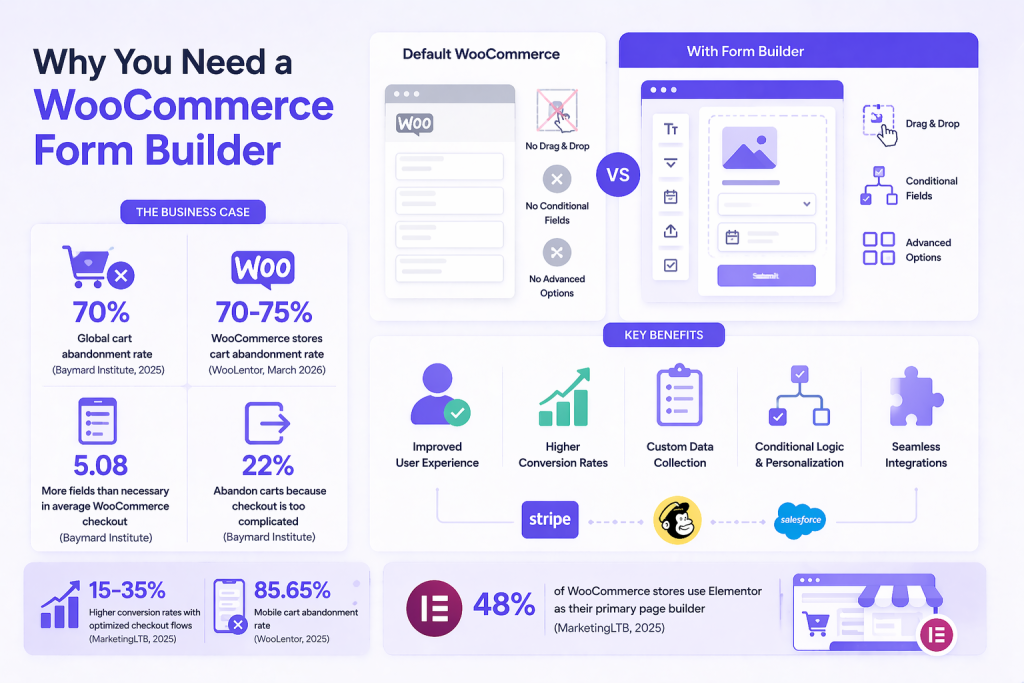
The default WooCommerce setup ships with a simple checkout form, a basic product page structure and variation dropdowns.
There is no built-in drag and drop interface for rearranging checkout inputs, no support for conditional fields that show based on user selections. There is also no way to add complex product option sets like image swatches, date pickers, or file uploads without code.
The Business Case: What the Numbers Say
The global ecommerce cart abandonment rate sits at approximately 70% across all industries (Baymard Institute, 2025) and for WooCommerce stores specifically, research puts that figure between 70% and 75% (WooLentor, March 2026).
A significant portion of that abandonment stems directly from checkout friction.
Research by the Baymard Institute shows the average WooCommerce checkout contains 5.08 more fields than necessary and 22% of shoppers abandon carts specifically because the checkout process is too complicated.
Stores that fix this see real results: those with optimized checkout flows report 15 to 35% higher conversion rates (MarketingLTB WooCommerce Statistics, 2025).
Mobile users, who now account for the majority of e-commerce traffic, abandon carts at a rate of 85.65% on mobile (WooLentor, 2025) when the checkout experience is not optimized for their device.
That gap represents real, recoverable revenue for most stores.
Benefits of Using a Dedicated Form Builder
- Improved user experience: Forms that adapt to customer choices reduce friction and confusion at every stage of the purchase journey
- Higher conversion rates: Streamlined, well-designed checkout forms reduce abandonment and speed up the transaction
- Custom data collection: Gather the specific product details, personalization instructions, or preferences you need from each order
- Conditional logic and personalization: Show or hide fields, adjust pricing and tailor the form experience to what the user selects
- Integration with payment and email tools: Connect form submissions to your CRM, email marketing platform, or payment gateway automatically
It is also worth noting that approximately 48% of WooCommerce stores use Elementor (MarketingLTB, 2025) as their primary page builder, which makes Elementor-native solutions like Ultimate Store Kit directly relevant to a large proportion of store owners.
Designing WooCommerce stores with Elementor is straightforward and lets Elementor users enhance the WooCommerce experience.
Quick Comparison: Best WooCommerce Form Builder Tools
Here is a high-level overview of all ten tools covered in this guide. Scroll down for the full breakdown of each.
| Tool | Best For | Key Features | Free? | Starting Price | Ease of Use |
|---|---|---|---|---|---|
| Ultimate Store Kit | Elementor + WooCommerce | 80+ widgets, checkout builder, EDD support, template builder | Yes | $39/yr | Easy |
| Fluent Forms | Value + speed | Conditional logic free, 60+ fields, 65+ integrations | Yes | $79/yr | Easy |
| WPForms | Beginners | 2,000+ templates, drag and drop, payment forms | Yes | $99/yr | Very Easy |
| Gravity Forms | Developers / agencies | REST API, add-on ecosystem, complex conditional logic | No | $59/yr | Moderate |
| Formidable Forms | Data-driven sites | Front-end views, directories, calculations, multi-step | Yes | $79/yr | Moderate |
| Ninja Forms | Modular builds | Free core, 40+ add-ons, GDPR, calculations | Yes | $99/yr | Easy |
| WC Product Add-Ons | Native WooCommerce | Product options, pricing rules, file upload, checkboxes | No | $79/yr | Moderate |
| JetFormBuilder | Gutenberg devs | Dynamic templates, booking, Crocoblock integration | Yes | $49/yr | Advanced |
| Everest Forms | Budget users | Drag and drop, PDF submission, repeater fields, Stripe | Yes | $69/yr | Easy |
| MetForm | Elementor design | Elementor native, 40+ widgets, conditional logic, WooCommerce | Yes | $49/yr | Easy |
Best WooCommerce Form Builder Tools
This guide covers the 10 best WooCommerce form builder tools available today. Each section includes an overview, key features, pros, cons and pricing so you can make a clear, informed decision.
1. Ultimate Store Kit
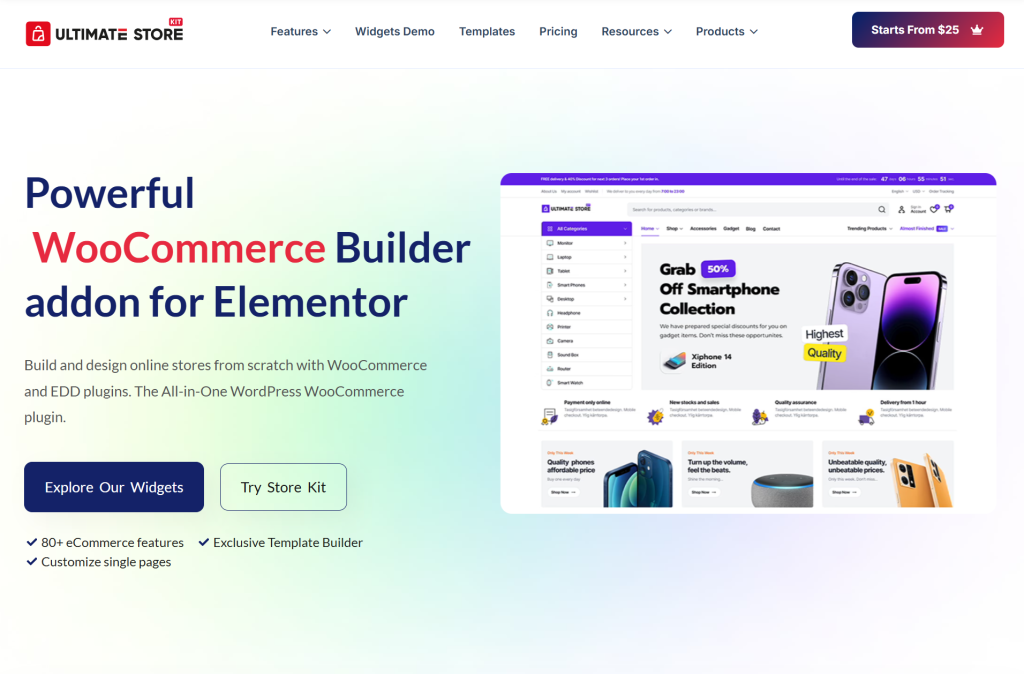
Ultimate Store Kit is an all-in-one WooCommerce and Easy Digital Downloads (EDD) builder designed specifically for Elementor.
Developed by BdThemes, it ships with 80+ specialized widgets that cover everything from product grids and checkout pages to custom account dashboards and order confirmation screens.
Rather than acting as a standalone form plugin, it approaches WooCommerce customization holistically, enabling store owners to visually rebuild every page of their store in Elementor.
If you are running an Elementor-powered WooCommerce store and want complete design control without touching code, Ultimate Store Kit is built for exactly that scenario.
Key Features
- 80+ WooCommerce and EDD widgets including product grids, carousels, sliders, review grids and pricing tables
- Full template builder for shop pages, single product pages, cart, checkout, order received and account pages
- Deep WooCommerce checkout form builder with drag and drop customization for checkout and cart pages
- Support for Easy Digital Downloads alongside WooCommerce in the same plugin
- AJAX-powered filters and pagination for all product display widgets
- Product comparison and wishlist widgets built in
- SEO-compatible architecture with lightweight, optimized code for fast page loads
- Built-in caching and lazy loading support
- No coding required, fully visual Elementor-based workflow
- Compatible with most WooCommerce and Elementor plugins on the market
- White-label branding available on higher plans
Pros
- Deep Elementor integration means every WooCommerce page can be rebuilt visually without switching tools
- Covers the entire store lifecycle from shop listing to post-purchase confirmation in one plugin
- 80+ widgets is one of the most comprehensive widget sets available for WooCommerce builders
- EDD support makes it genuinely useful for digital download stores as well
- Lightweight codebase keeps site performance strong even with heavy widget usage
- Free version available on WordPress.org for testing before committing
- Actively developed by BdThemes with regular updates and responsive support
- 14-day money-back guarantee on paid plans
- Competitive pricing for the scope of features provided
Cons
- Requires Elementor to be installed, so it is not suitable for block-editor-first workflows
- Some advanced features are locked to higher-tier plans
Pricing
- Free version available on WordPress.org
- Single site plan starting at approximately $39/year
- Grow plan (5 websites) with priority support available
- Grow Ultra plan (1,000 websites) with VIP support, Zoom assistance and white-label branding
- Lifetime deal options available for long-term savings
- Bundle packages with other BdThemes plugins offer significant additional value
Best for: Elementor users who want a single plugin to customize every aspect of their WooCommerce or EDD store, from product display to checkout, without writing code
2. Fluent Forms
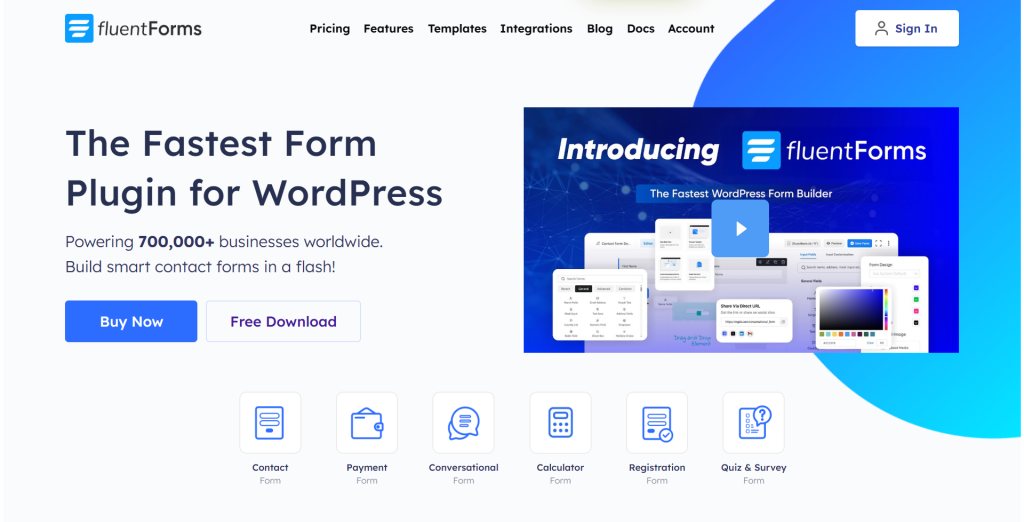
Fluent Forms has quietly become one of the most feature-dense WordPress form builders on the market and its pricing makes it a genuine disruptor among established competitors.
Built by WPManageNinja, it combines a clean, modern interface with over 60 input fields, 65+ integrations, and a free version that includes conditional logic and entry storage, features that competing tools lock behind paid plans.
For WooCommerce stores that need advanced forms beyond checkout customization, such as product inquiry forms, booking requests, or customer onboarding flows, Fluent Forms delivers exceptional value per dollar.
Key Features
- 60+ input fields with 27 available in the free version
- Conditional logic included in the free plan
- Multi-step and conversational form modes
- Payment integrations with Stripe, PayPal and other gateways
- 65+ third-party integrations including popular CRMs and email tools
- 110+ pre-built form templates
- GDPR compliant with built-in spam protection
- Entry storage and management in the WordPress dashboard
- Integration with the broader Fluent ecosystem (FluentCRM, FluentSMTP, FluentBooking)
Pros
- Free version is genuinely capable and includes conditional logic without upgrade prompts
- One of the best pricing models in the category with all features at every paid tier
- Lifetime licensing available, making it the most cost-effective option over three or more years
- Fast, modern interface that feels native to the current WordPress ecosystem
- Strong ecosystem of related plugins from the same team
Cons
- Third-party extension ecosystem is smaller than that of Gravity Forms or WPForms
- Documentation depth does not yet match older, more established competitors
- Interface packs many options into each screen, which can feel dense for new users
Pricing
- Free version available with generous features
- Pro plan starts at $79/year for a single site
- All features included at every paid tier, only the number of sites changes
- Lifetime plans available starting around $299 for a single site
Best for: Budget-conscious store owners who want advanced form capabilities including conditional logic and payment processing without paying premium prices
3. WPForms
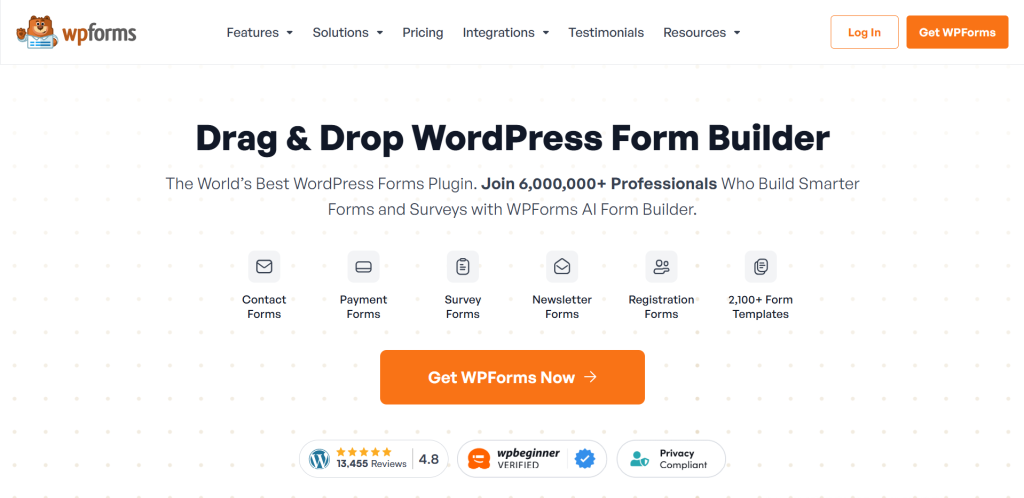
WPForms has built its reputation on being the most beginner-friendly WordPress form builder available.
With over 5 million active installations, it dominates the entry-level segment through an exceptionally guided user experience. It has a library of over 2,000 pre-built templates and a full-screen, distraction-free builder that makes form creation feel effortless.
For WooCommerce stores that need reliable contact forms, order inquiry forms, or simple checkout supplementary forms without a steep learning curve, WPForms is a dependable choice.
Key Features
- 2,000+ pre-built form templates covering nearly every use case
- Full-screen drag and drop form builder with guided wizard for new forms
- Form abandonment capture to recover incomplete submissions
- Payment processing with Stripe, PayPal, Square and Authorize.net
- Conversational forms for higher completion rates
- Surveys and polls module with real-time reporting
- Easy importer for migrating from Ninja Forms
- 14-day money-back guarantee
Pros
- Most beginner-friendly experience in the category, ideal for non-technical users
- Largest template library means you rarely need to start from scratch
- Strong community, documentation and third-party ecosystem
- Promotional discounts often available, making entry pricing accessible
Cons
- Conditional logic requires a higher plan
- Entry storage is not available on the free version
- Renewal pricing reverts to full rate after promotional discounts
- Not the most cost-effective option as your feature needs grow
Pricing
- Free version available (Lite)
- Basic plan starts at $99/year
- Pro and Elite plans available at higher price points with additional features
- Frequent promotional discounts of up to 60% on initial purchase
Best for: Beginners and small store owners who prioritize ease of use and want a fast, guided form-building experience
4. Gravity Forms
Gravity Forms is the long-standing standard for complex, developer-heavy WordPress form projects.
It has no free version, but with a paid license, you get an extraordinarily extensible platform backed by a massive ecosystem of first- and third-party add-ons.
Its REST API gives developers fine-grained control over form behavior and its conditional logic system has been setting benchmarks since the plugin launched.
For WooCommerce agencies or developers who need forms that deeply integrate with custom applications or enterprise workflows, Gravity Forms remains a top-tier choice.
Key Features
- Extensive conditional logic and branching across all plans
- REST API for custom application integration
- Large add-on ecosystem including official and third-party extensions
- Multi-page forms with progress indicators
- File uploads, calculations and chained selects
- Partial entry capture on higher plans
- User registration forms with role assignment
- Geo-location, surveys, quizzes and polls on the Elite plan
Pros
- Most extensible form platform in the WordPress ecosystem
- Developer community and hook/filter documentation is unmatched
- Rock-solid reliability record with mission-critical deployment
- Consistent renewal pricing without surprise rate increases
Cons
- No free version means no risk-free live testing
- Interface has not been modernized compared to newer competitors
- Add-on bundling model can make total cost high for complex feature sets
- Surveys, Stripe payments and other features are locked to Pro or Elite tiers
Pricing
- Basic plan starts at $59/year
- Pro plan at $159/year (includes payment processors, additional CRM integrations)
- Elite plan at $259/year (includes all add-ons, geo-location, conversational forms and more)
- No lifetime pricing option available
Best for: Developers and agencies building complex WooCommerce applications that require deep customization, REST API access and a battle-tested add-on ecosystem
5. Formidable Forms
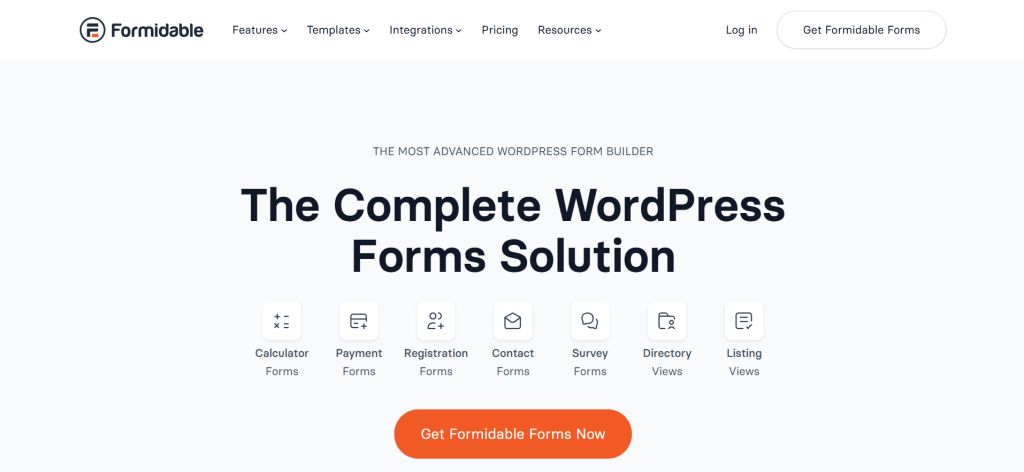
Formidable Forms occupies a unique position in the WordPress form builder market.
While other tools focus on collecting data, Formidable specializes in what you do with that data after it is submitted.
Its Views feature lets you take user submissions and display them on the front end as searchable directories, event listings, or real estate listings, no custom code required.
For WooCommerce stores that also need front-end data presentation, such as vendor directories, event registries, or booking systems, Formidable Forms stands out in its own category.
Key Features
- Views feature for displaying form entry data on the front end
- Calculations and formula fields for pricing and order logic
- Multi-step forms with conditional branching
- User-submitted content for directories and listings
- Advanced user registration forms
- Chart and graph visualization of form data
- WooCommerce integration for product and checkout forms
- REST API for external data access
Pros
- Unique ability to turn form submissions into front-end content without code
- Excellent for data-driven WooCommerce applications
- Calculation fields are among the most powerful in the category
- Free version available for basic use cases
Cons
- Higher learning curve than most other form builders in this list
- Pricing can be steep for the advanced tiers where the best features live
- Not the right fit if you only need simple contact or checkout forms
Pricing
- Free version available on WordPress.org
- Basic plan starts at approximately $79/year
- Multiple tiers available up to Business and Elite for agencies
- Lifetime plans available at higher price points
Best for: Store owners who need to collect data and then display it publicly, such as directories, listings, or customer-facing dashboards
6. Ninja Forms
Ninja Forms has been one of the WordPress ecosystem’s most flexible free form builders for years.
Its modular approach means the core plugin is free and functional and you layer on only the add-ons you actually need.
With over 40 available add-ons covering everything from conditional logic to Stripe payments and CRM integrations, Ninja Forms appeals to users who want control over what they install rather than paying for an all-in-one bundle that includes features they will never use.
Key Features
- Powerful free core plugin with 28+ form fields
- 40+ individual add-ons purchasable without a full membership
- GDPR and CCPA compliant
- Multi-step form support
- Numeric calculations in the free version
- File upload support
- CRM integrations including Salesforce, HubSpot and Mailchimp
- WooCommerce integration add-on available
Pros
- One of the most capable free core plugins in the category
- Modular add-on model gives precise control over plugin footprint
- 14-day money-back guarantee on membership plans
- Good option for users who need only one or two specific add-ons
Cons
- Add-on pricing can escalate quickly as your requirements grow
- Total cost often exceeds flat-rate competitors when multiple add-ons are needed
- Styling add-on interface requires switching between tabs without live preview
- Pricing complexity makes it harder to estimate true total cost
Pricing
- Core plugin is free
- Plus membership plan starts at $99/year
- Individual add-ons available for purchase without a membership plan
- Agency plans available for developers managing multiple sites
Best for: Developers or power users who want a highly customizable, modular form setup and only need a specific subset of advanced features
7. WooCommerce Product Add-Ons
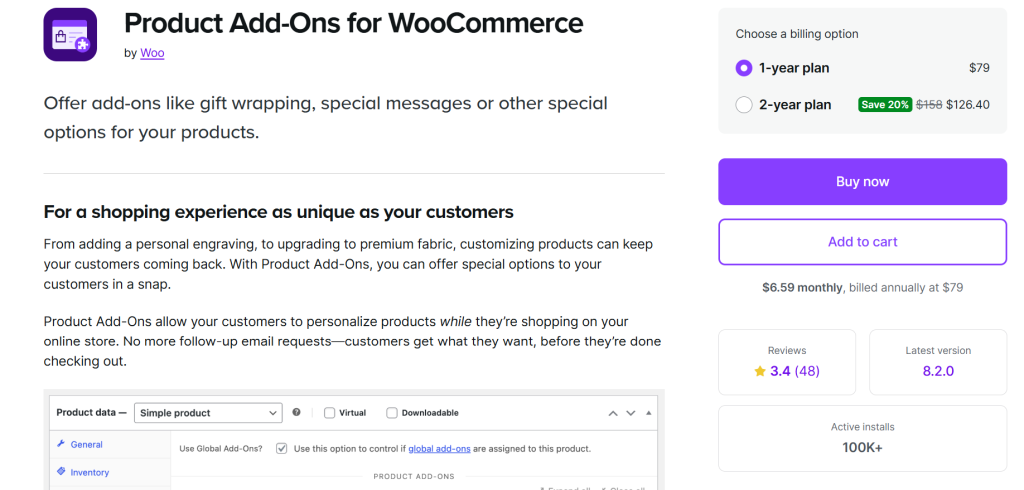
WooCommerce Product Add-Ons is the official WooCommerce extension for adding custom product options directly to your product pages.
It allows customers to personalize products before adding them to the cart, such as choosing engraving text, selecting a gift wrap option, or uploading a file.
It is the most native way to accomplish that within WooCommerce.
It integrates seamlessly with existing WooCommerce product data and supports price adjustments per option.
Key Features
- Add custom fields to any WooCommerce product page
- Field types include text, textarea, checkboxes, radio buttons, file uploads and select dropdowns
- Per-option pricing adjustments (flat fee, percentage, or custom)
- Display add-ons on specific products or product categories
- Supports required and optional fields
- Compatible with variable products
- Works within the native WooCommerce product editor
Pros
- Official WooCommerce extension with guaranteed core compatibility
- Most natural integration with WooCommerce product data structure
- Simple to set up for basic product customization use cases
- Reliable updates tied to WooCommerce core releases
Cons
- Premium only, no free version
- Limited to product-level add-ons, not a general-purpose form builder
- Less flexible than third-party builders for complex conditional logic
- Styling options are more limited compared to visual builders
Pricing
- Starts at approximately $79/year for a single site
- Available through the official WooCommerce marketplace
- Pricing scales with the number of sites
Best for: Store owners who sell customizable physical or digital products and need a reliable, native way to add product options and custom fields to product pages
8. JetFormBuilder
JetFormBuilder is part of the Crocoblock suite of Gutenberg-focused WordPress tools and it is built from the ground up for the block editor.
The plugin works best if your WooCommerce store runs on a Gutenberg-native workflow and you want the most developer-friendly form builder.
JetFormBuilder offers dynamic templates, booking and appointment functionality and deep integration with other JetPlugins from Crocoblock.
It is particularly strong for users who are already invested in the Crocoblock ecosystem and want forms that feel native to the block editor.
Key Features
- Native Gutenberg block-based form building
- 19+ field blocks with dynamic values and conditional logic
- Booking and calendar/appointment functionality
- Integration with CRMs, email marketing tools and payment gateways
- Dynamic templates that pull data from custom post types
- Post-submit actions, including redirect, new post creation and confirmation emails
- Integration with JetEngine and other Crocoblock plugins for advanced data workflows
- Free core plugin with pro add-ons available
Pros
- Best-in-class integration with Gutenberg-based workflows
- Free core plugin is genuinely functional for basic use cases
- Excellent for developers building custom data-driven WooCommerce sites
- Booking and appointment features built in without extra plugins
Cons
- Steeper learning curve than most competitors
- Best used within the broader Crocoblock ecosystem, otherwise some value is lost
- Some features are only accessible to users familiar with advanced Gutenberg usage
- No lifetime deal currently available
Pricing
- Free core plugin on WordPress.org
- Pro add-ons starting at approximately $49/year
- Full Crocoblock suite subscriptions available for agencies needing the entire toolset
Best for: Developers and agencies building Gutenberg-native WooCommerce sites who are already using or considering the Crocoblock plugin suite
9. Everest Forms
Everest Forms is one of the best value-for-money options in the WordPress form builder space. It’s particularly suited for store owners on a tighter budget who still want a strong feature set.
Its clean drag and drop interface mirrors the familiarity of other WordPress admin tools, making it easy to get started quickly.
Notably, the free version includes entry storage and management directly in the dashboard, a feature that WPForms locks behind a paid plan.
For straightforward WooCommerce contact forms, booking request forms and simple checkout supplementary inputs, Everest Forms punches well above its price point.
Key Features
- Drag and drop form builder in a clean WordPress-native interface
- Entry storage and management available in the free version
- Repeater fields for multi-row data collection
- PDF submission feature that auto-generates a PDF from each form entry
- Payment integrations with Stripe and PayPal
- Google reCAPTCHA and spam protection built in
- Multi-column form layouts
- Shortcode support for embedding forms anywhere
- Integrations with Mailchimp, Zapier and other tools
Pros
- Free version includes entry storage, which many competitors reserve for paid plans
- Lifetime licensing options make it one of the best long-term value choices
- Clean interface that feels intuitive without a steep learning curve
- Repeater fields and PDF submission are clever features often missing elsewhere
Cons
- Free version lacks some advanced features like multi-step forms and conditional logic
- Annual pricing for premium plans can be higher than Fluent Forms for comparable features
- Smaller user base and community compared to WPForms or Gravity Forms
Pricing
- Free version available with entry storage
- Personal plan starts at approximately $69/year
- Lifetime plans available, offering strong long-term savings
- Multiple tiers covering different numbers of sites
Best for: Budget-focused store owners who want solid form functionality, including entry management, without paying for a premium plan
10. MetForm
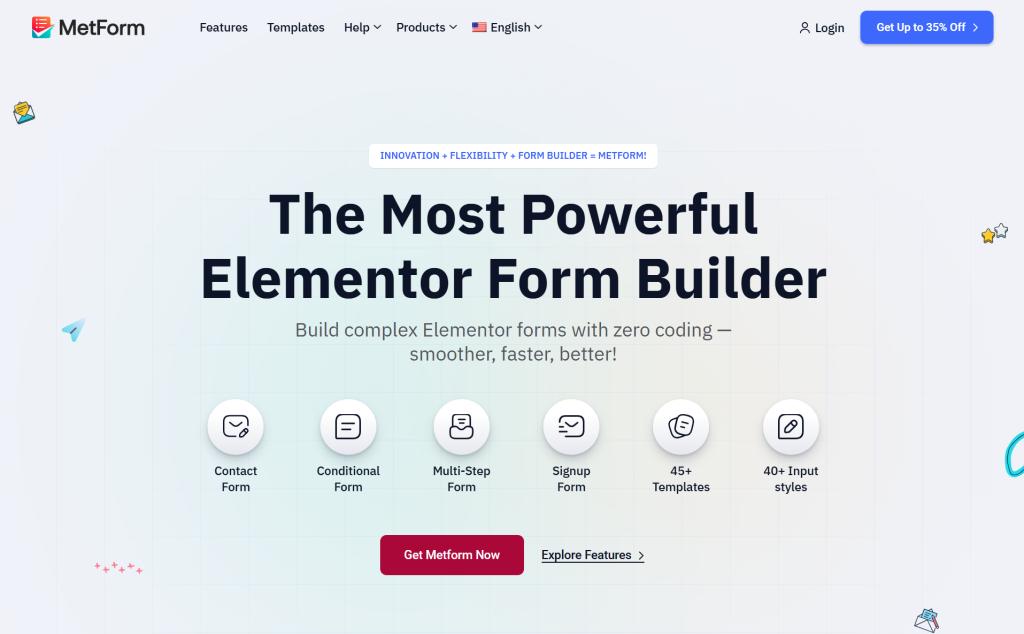
MetForm is an Elementor-native form builder from the Wpmet team and it stands out for the level of design control it provides within Elementor.
Because every form field is a native Elementor widget, you can style forms with the same depth of control you have over any other Elementor element, adjusting typography, spacing, color, icons and layout without leaving the page builder.
For WooCommerce stores built on Elementor that need visually polished, highly branded forms, MetForm delivers a design-first experience that few competitors can match.
Key Features
- Every form field is a native Elementor widget for full visual control
- 40+ input field types and form widgets
- 30+ pre-built form templates
- Conditional logic for dynamic form behavior
- Multi-step and calculation form building
- WooCommerce checkout support inside Elementor
- Google Sheets integration for form data management
- AJAX submission without page reload
- reCAPTCHA and field validation for spam protection
- GDPR compliant
- Shortcode support for non-Elementor pages
Pros
- Unmatched design freedom for Elementor-based stores
- Every field acts as a native widget, keeping the workflow entirely within Elementor
- Won the Monster Awards 2025 recognition for user experience
- Affordable entry price with a free version available
- Available in a bundle pack with ElementsKit and ShopEngine for extra value
Cons
- Entirely dependent on Elementor, making it unsuitable for other page builders
- Free version is more limited than some competitors at the same tier
- Smaller community and extension ecosystem
Pricing
- Free version available on WordPress.org
- Personal plan starts at approximately $49/year
- Lifetime plans starting around $147
- Bundle pack with ElementsKit, ShopEngine and GutenKit available for additional value
Best for: Elementor users who prioritize visual design and want forms that look as polished as the rest of their Elementor-built WooCommerce store
Key Features to Look for in a WooCommerce Form Builder
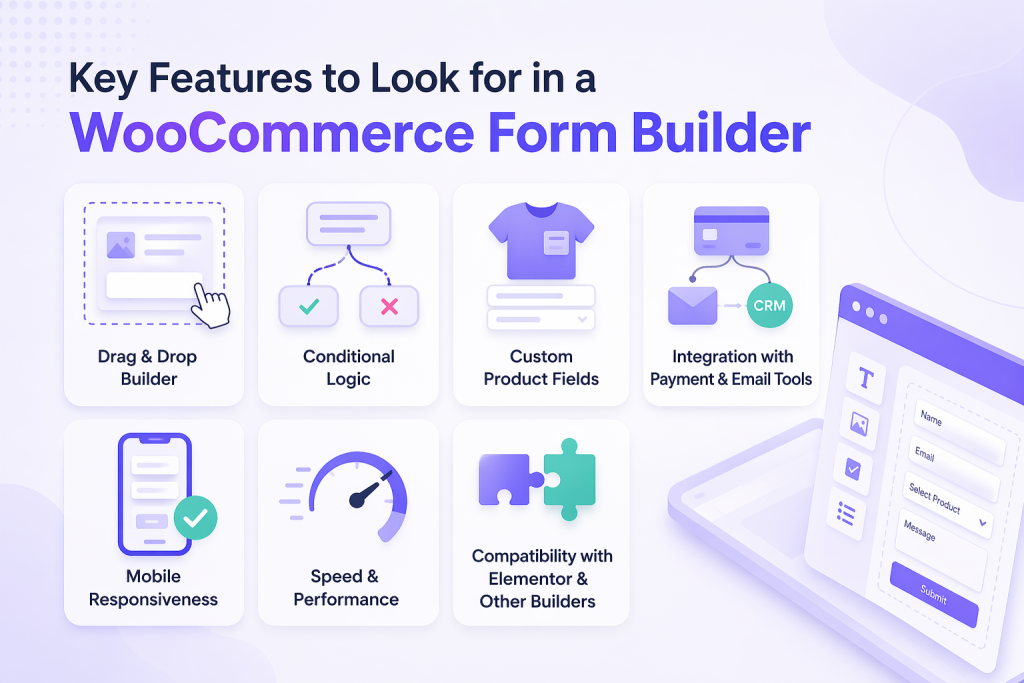
Not every form builder is suited for every store. When evaluating your options, these are the capabilities that matter most:
- Drag and drop builder: The ability to visually build forms without code is the baseline expectation. Look for builders that offer a real-time preview alongside editing.
- Conditional logic: Forms that adapt to user input reduce abandonment and improve the experience. This feature should ideally be available without upgrading to an expensive tier. Fluent Forms includes it free, which sets the standard for what a competitive free tier looks like.
- Custom product fields: The ability to add custom fields to product pages and tie them to order data is essential for any store selling configurable or personalized products. The Ultimate Store Kit blog covers this in detail in their guide on adding custom fields to WooCommerce product pages.
- Integration with payment and email tools: Your form builder should connect cleanly to your payment gateway, CRM and email marketing platform so that data flows automatically without manual export.
- Mobile responsiveness: With mobile cart abandonment rates at 85.65% (WooLentor, 2025), your forms must render correctly and function smoothly on all screen sizes.
- Speed and performance: A form plugin that adds load time will hurt conversions. Every extra second of load time reduces conversion rates by 7 to 14% (MarketingLTB, 2025). Look for tools with lightweight, optimized codebases.
- Compatibility with Elementor and other builders: Given that approximately 48% of WooCommerce stores use Elementor as their primary page builder (MarketingLTB, 2025), native Elementor integration is a practical requirement for a large portion of store owners.
Best WooCommerce Form Builder by Use Case
- Best for beginners: WPForms. Its guided wizard, 2,000+ templates and distraction-free builder make it the lowest-friction entry point for first-time form creators.
- Best for advanced users: Gravity Forms or Formidable Forms. Both offer developer APIs, complex conditional logic and extensible architectures suited for mission-critical form workflows.
- Best for Elementor users: Ultimate Store Kit for full WooCommerce store building within Elementor. If you are starting from scratch, the step-by-step guide to building a WooCommerce store from the ground up is a useful companion resource.
- Best for checkout customization: Ultimate Store Kit’s Checkout Pro gives the most comprehensive visual control over the WooCommerce checkout page inside Elementor. The team’s detailed WooCommerce checkout customization walkthrough covers the full process step by step.
- Best free option: Fluent Forms. Its free version includes conditional logic and entry storage, which most competitors lock behind paid plans.
Final Thoughts
Choosing the right WooCommerce form builder quietly shapes your store’s performance over the long run.
The right plugin reduces friction at checkout, gives customers the customization options they expect and helps you collect the data you need to run your business intelligently.
Each tool in this guide has a distinct strength.
WPForms wins on ease of use. Fluent Forms wins on value. Gravity Forms wins on developer extensibility. Formidable Forms wins on data presentation.
But for store owners running Elementor-powered WooCommerce stores who want a single, cohesive solution covering product pages, Ultimate Store Kit stands out as the most complete package.
Its combination of 80+ dedicated WooCommerce widgets, a powerful visual template builder, EDD support and an optimized lightweight codebase gives growing stores the flexibility they need today and the scalability to handle tomorrow.
With a free version to explore risk-free and competitively priced paid plans, it is worth visiting the Ultimate Store Kit homepage and reviewing the full pricing options before making a decision.
Take stock of your store’s current pain points.
Start with the free versions where available, test with your actual store setup and invest in the plugin that solves the right problem for your business.
FAQs About WooCommerce Form Builders
What is the best WooCommerce form builder?
The answer depends on your specific setup and goals. For Elementor-powered WooCommerce stores, Ultimate Store Kit is the most comprehensive option, covering everything from product display to checkout customization in a single plugin. For general-purpose advanced forms, Fluent Forms offers the best value with its generous free tier. For beginners, WPForms is the easiest to get started with.
Can I customize WooCommerce checkout fields?
Yes. Plugins like Ultimate Store Kit, Fluent Forms and WPForms all support customizing the WooCommerce checkout form. Ultimate Store Kit includes a dedicated Checkout Pro builder for Elementor users that lets you fully redesign the checkout experience. The team published a practical guide to WooCommerce checkout page customization that covers everything from removing unnecessary fields to styling trust badges and error states.
Are there free WooCommerce form builder plugins?
Several tools in this list offer capable free versions. Fluent Forms, Ninja Forms, Everest Forms, JetFormBuilder, MetForm and Ultimate Store Kit all have free tiers on WordPress.org. Fluent Forms and Ultimate Store Kit offer some of the most capable free plans in the category, including conditional logic and checkout customization, respectively.
Do form builders slow down websites?
Poorly coded form plugins can significantly impact page load time and every extra second of load time reduces conversions by 7 to 14% (MarketingLTB WooCommerce Statistics, 2025). The tools in this guide are generally built with performance in mind. Ultimate Store Kit specifically uses a lightweight codebase with built-in lazy loading to minimize performance impact. When evaluating any plugin, check whether it loads scripts site-wide or only on pages where forms are active.
Which WooCommerce form builder works best with Elementor?
Ultimate Store Kit is built specifically for Elementor and WooCommerce, making it the natural first choice for Elementor-based stores. It provides 80+ widgets covering every page of the WooCommerce journey. MetForm is the strongest alternative for design-focused form creation, as its fields function as native Elementor widgets. The Ultimate Store Kit guide to designing a WooCommerce store with Elementor gives a practical picture of what a fully Elementor-native WooCommerce build looks like end to end
How do I add conditional logic to WooCommerce forms?
Most premium form builders include conditional logic, though its availability varies across free versions. Fluent Forms includes it for free. WPForms, Gravity Forms, Ninja Forms and Formidable Forms support it at certain paid tiers. For WooCommerce-specific checkout conditional fields, look for plugins that integrate with WooCommerce’s order data so conditions can be based on cart contents, product types, or customer location.